Employee/Contractor/Entity/Task Panel Fields
The Employee/Contractor/Entity/Task panel lets you search for an employee or contractor and associate them to an entity or task.
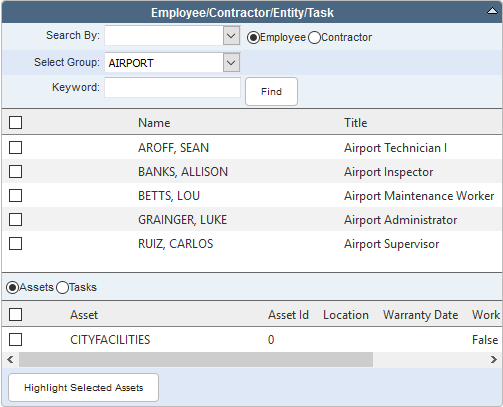
- Search By: Select a way to search for the employee or contractor.
- Employee: Select if you are searching for an employee.
- Contractor: Select if you are searching for a contractor.
- Select Group: Select the group the employee is in. This field is only displayed when Group is selected from the Search By drop-down list.
- Keyword: Enter a keyword to search by (group keyword for employees or contractor keyword for contractors). This field is only displayed when Name or Predefined is selected from the Search By drop-down list.
- Select Crew: Select the crew to add labor from. This field is only displayed when Crew is selected from the Search By drop-down list.
- Select My Crew: Select the crew to add labor from. This field is only displayed when My Crew is selected from the Search By drop-down list.
- Find:
- Assets: Select to view assets that can be associated to the labor.
- Tasks: Select to view the tasks that can be associated to the labor.
- Highlight Selected Assets:

Documentation Feedback Form
Please give us feedback about this Cityworks guide.
If you have a feature enhancement request, please see the Ideas page on MyCityworks.
Last updated 1/6/2020.
Copyright© 2010–2020 by Azteca Systems, LLC. All rights reserved.