View Relationships
Relationships between objects can be viewed through a GIS search.
- Search for the desired asset. See Search the GIS for more information.
- From the search results, click the OBJECTID for the asset that you want to view the relationships for.
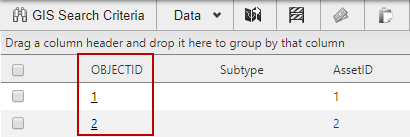
The Asset Viewer opens in a new window. You can view relationships from the Relationships tab in the Asset Viewer. See View Relationships for more information.