Edit a Task Result Set
|
|
 PREREQUISITES:
- From the home page, click PLL and click Task Results.
 TIP: You can filter the list of records displayed. See Filter Records for more information.
- On the Task Result Sets tab, select the task result set you want to edit.
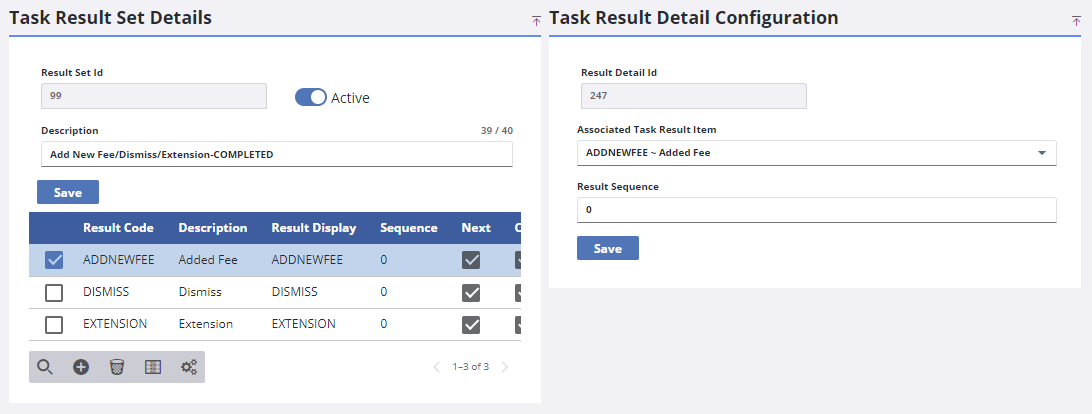
- Edit any desired fields in the Task Result Set Details panel and click Save.
- Edit any desired fields in the Task Result Detail Configuration panel and click Save.