Add a Case Data Group
Case data is specific information provided by the builder, owner, etc., about a case that can be used to calculate fees. Data groups are a simple means of creating and organizing custom fields to collect that information.
|
|
 PREREQUISITES:
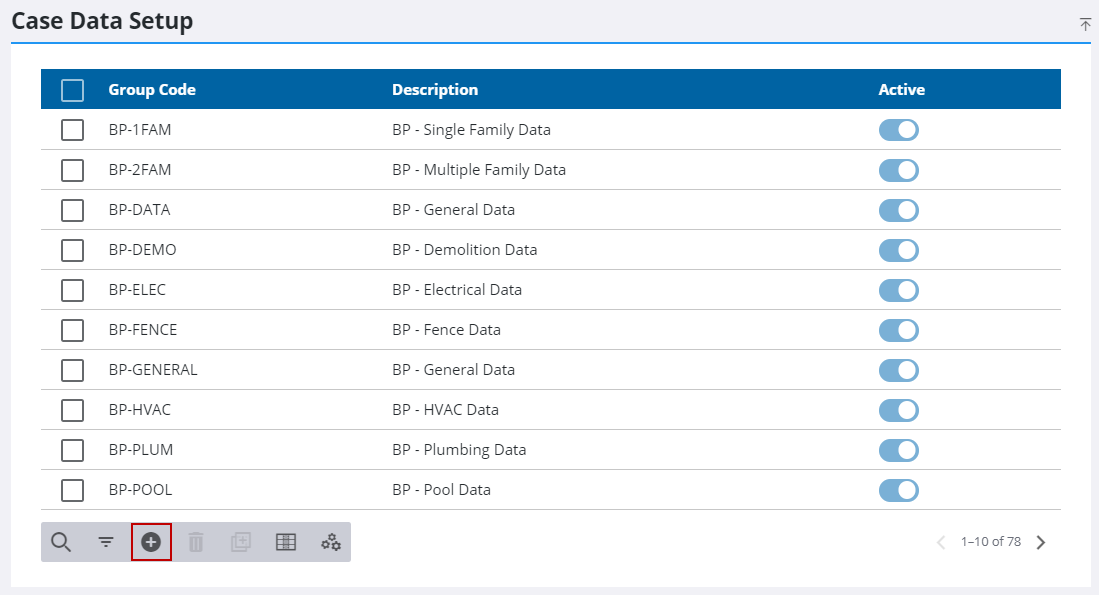
- From the home page, click PLL and click Case Data Setup.
- On the Case Data Setup panel, click Add record.
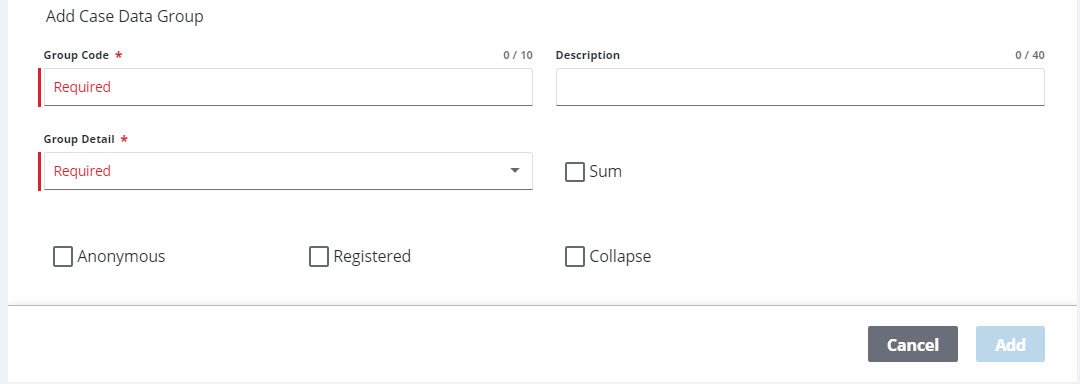
- In the Add Case Data Group section, enter a code in the Group Code field. This code will appear in drop-down lists and is limited to 10 characters.
- If desired, enter detail in the Description field.
- Click the Group Detail drop-down list and select Radio, List, or None to decide whether the data group will use radio (option) buttons, a drop-down list, or neither, when displaying options.
- Select the Sum check box to automatically add any values in this data group together. This value, called Group Sum, will be displayed at the top of the Data Group panel and can be linked to fees.
-
Select the Registered check box if the data group will be available to Public Access users.
-
Select the Anonymous check box if the task will be available to guest users.
- Select the Collapse check box to initially collapse data groups on the Data Group panel. By default, data groups are automatically expanded on the Data Group panel.
- Click Add.