Remove a Department
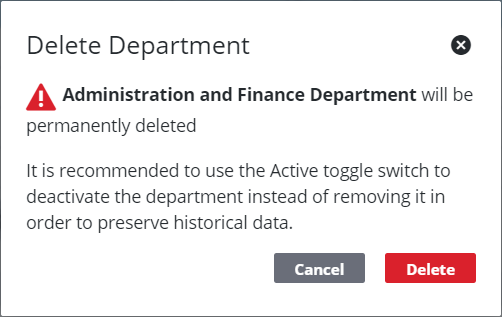
An existing department can be deleted from the database, but doing so poses the risk of corrupting record data tied to it. Instead, users should mark the department as inactive. Inactive departments remain in the database but are not available to be selected on case types or templates.
|
|
 PREREQUISITES:
- From the home page, click PLL and click Organization Structure.
 TIP: You can filter the list of records displayed. See Filter Records for more information.
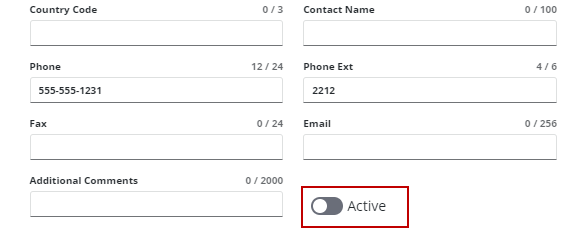
- On the Department panel, select a department and click Active to turn it off.
If there are no records associated with the department, it can be removed.
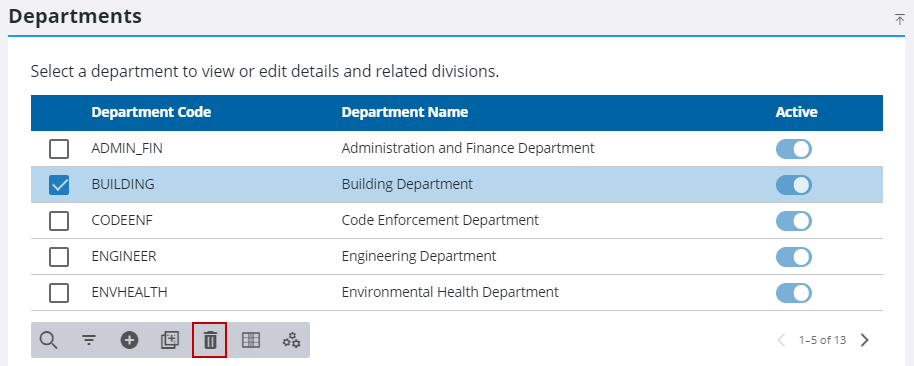
- Select a department and click Delete selected records.
 IMPORTANT: Any divisions that are not moved before deleting the department will also be deleted.
- Click Delete on the Delete Department panel.