Configure Pavement Inspection Mappings
Users who do not use the Paver Interface in Cityworks Utilities 2.2 need to setup the required fields to create pavement inspections in Cityworks. These field mappings link fields from the geodatabase to related fields on the pavement inspection.
|
|
 PREREQUISITES:
- From the Inspections tab, click Pavement Inspection Mappings.
The Pavement Inspection Mappings panel has two tabs, Branch and Section.
 NOTE: If you are licensed for Paver Interface, an additional tab and fields will display. See the Paver Interface 2.2 Guide for more information.
- On the Branch tab, select the Entity Type that contains your pavement data.
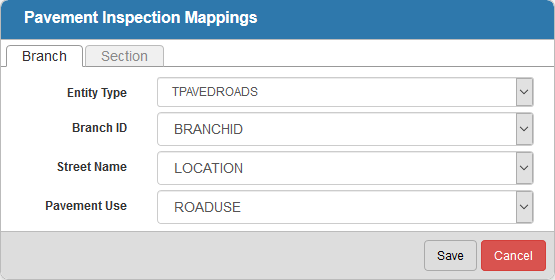
- For each of these fields, select the geodatabase field that you would like it mapped to: Branch ID, Street Name, and Pavement Use.
On the Section tab, select the Entity Type that contains your pavement data.
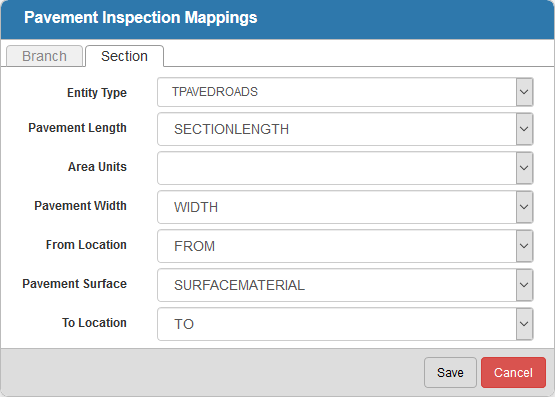
- For each of these fields, select the geodatabase field that you would like it mapped to: Pavement Length, Area Units, Pavement Width, From Location, Pavement Surface, and To Location.
NOTE: Entity Type and Pavement Surface are required fields when completing pavement standard inspections in Office/Tablet for AMS.
- Click Save to save the field mappings.