Create Cityworks Administrator Login
A Cityworks administrator login needs to be created.
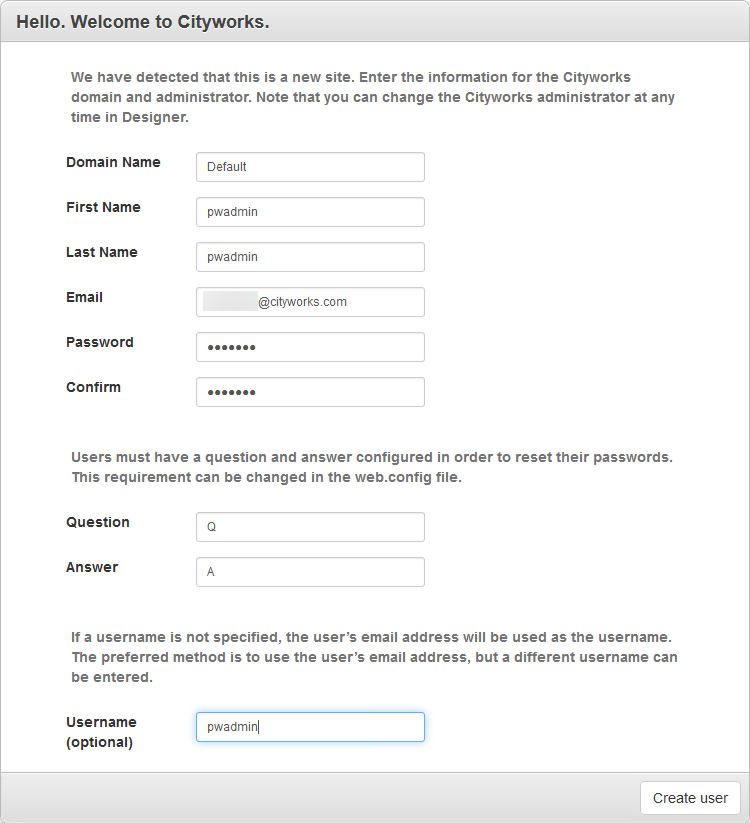
- Open Mozilla Firefox and navigate to either http://<host>/<site_name> or http://<host>/<site_name>/Login.aspx. You will be redirected to http://localhost/<site_name>/Setup.aspx.
- The Domain Name will be set to Default, but you can change it if desired.
- Enter a First Name, Last Name, Email, Password, and Confirm (the password).
- Enter a Question and Answer to be used to access the account to recover the password, among other operations.
- Enter a Username if you wish for the user name to be something other than the Email value entered above.
- Click Create user.
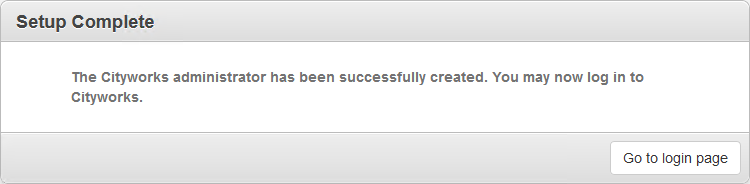
A confirmation message appears.
- Click Go to login page.
You will be taken to the login page, where you can log in as the Cityworks administrator you just created. Once you log in, you will have access to the Inbox, Designer, and PLL Admin pages. Also, the Default domain (or whatever you set the name to) will be present.