View a Checklist Line Item
The View option allows you to see more detailed information about a checklist line item than is available on the main Checklist Items panel.
|
PREREQUISITES:
|
To view the details of a checklist line item (also known as a correction), follow these steps:
- Open PLL Admin.
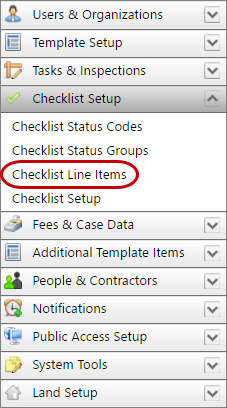
- On the PLL Admin page, click Checklist Setup on the PLL Admin menu panel and select Checklist Line Items.
- On the Checklist Items panel, select the check box next to the checklist line item you wish to view, then click View record at the top of the panel.

 NOTE: Search or filter the records on this panel to quickly find the one(s) you want. See Search and Filter Records for more information.
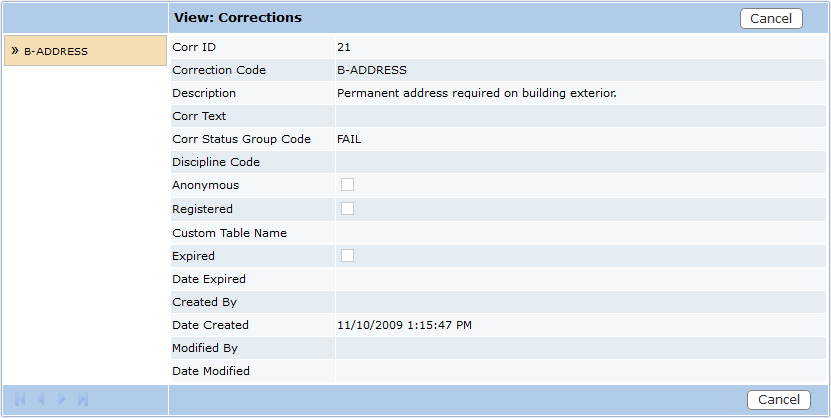
- The View: Corrections panel displays all the basic information about the checklist line item.
- Click Cancel to close the View: Corrections panel.
Documentation Feedback Form
Please give us feedback about this Cityworks guide.
If you have a feature enhancement request, please see the Ideas page on MyCityworks.
Last updated 1/6/2020.
Copyright© 2010–2019 by Azteca Systems, LLC. All rights reserved.