Set Storage Locations for Attachments
PLL administrators can decide where documents and other files are stored when they are attached to a case: in a database, file system, network, or FTP.
|
|
 PREREQUISITES:
 NOTE: Wherever attached files are stored, they are organized in folders using the case ID. Each case ID folder contains sub-folders for tasks and payments.
To designate a file storage option, follow these steps:
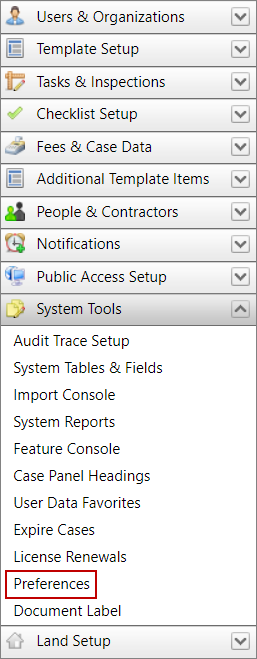
- Click System Tools on the PLL Admin menu panel and select Preferences.
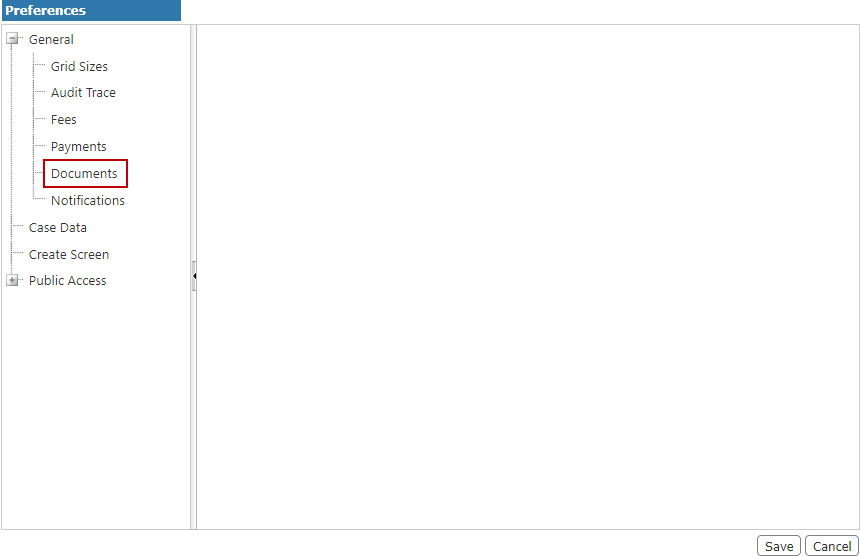
- On the Preferences panel, select Documents.
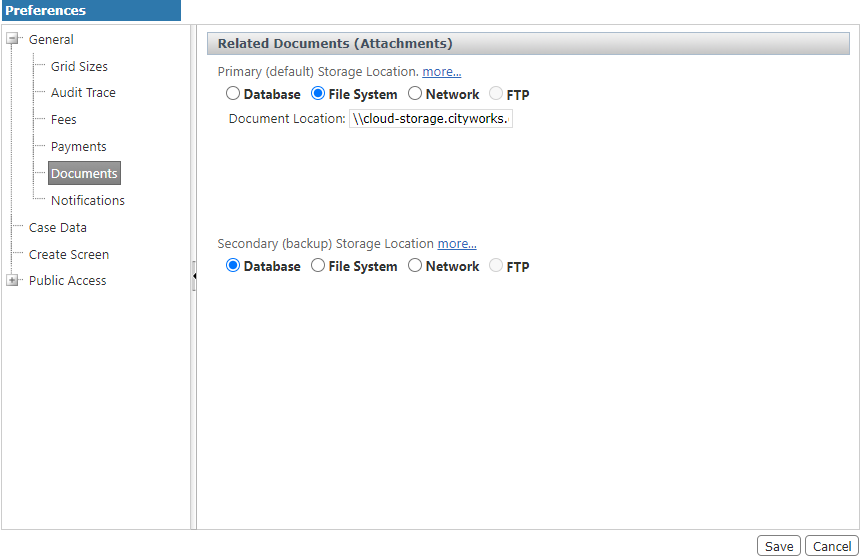
- Select the option button next to the options you wish to use for primary and secondary (backup) storage locations.
-
Database: Attachments will be stored in the Cityworks database.
-
File System: Attachments will be stored in a local file. Enter the file path to set this value.
-
Network: Attachments will be stored in a file on the network. Enter the network file path to set this value.
-
FTP: This option is not yet implemented and is currently disabled.
- Click Save.