Enable Map Drawings
When creating a case, users can draw on the map and attach the drawing to the case.
|
|
 PREREQUISITES:
 Public Access 6.0 and Newer
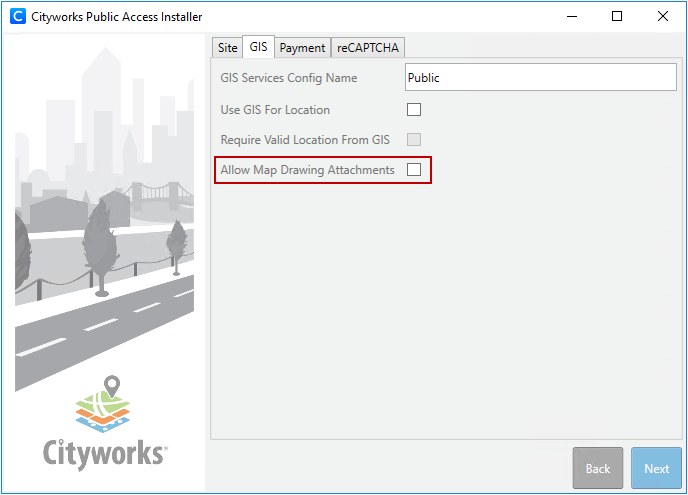
When the administrator installs Public Access 6.0 and newer, there is a setting for enabling map drawings. See the Public Access 6.0 Install Guide for more information.
Public Access 5.3 and Older
To enable the map drawing feature, follow these steps:
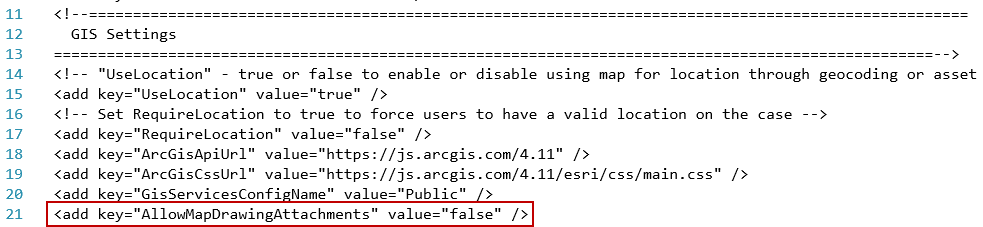
- Using File Explorer, open the WebAppSettings.config file located at C:\inetpub\wwwroot\<site_name>\PublicSite\.
- Open the file in your preferred text editor or coding software.
- In the add key="AllowMapDrawingAttachments" tag, change the value attribute from "false" to "true". If the value is already set to "true," leave it as it is.
- Save the file.

