Hide or Display Payment Options
PLL administrators have the option of allowing end users to pay fees on a case as the final step in creation process.
|
|
 PREREQUISITES:
To enable this option, follow these steps:
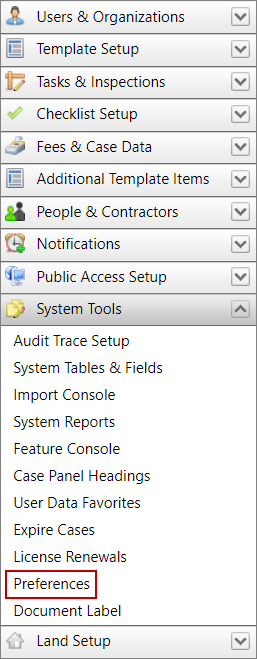
- Click System Tools on the PLL Admin menu panel and select Preferences.
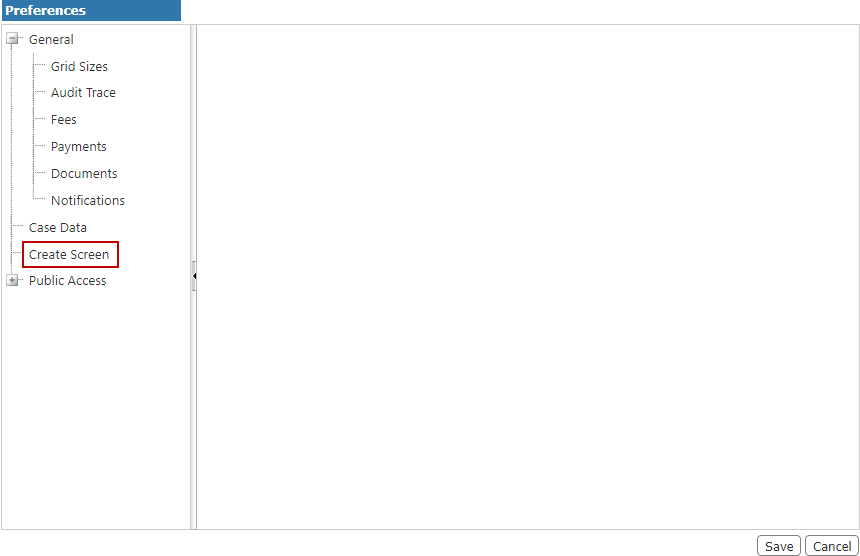
- On the Preferences panel, select Create Screen.
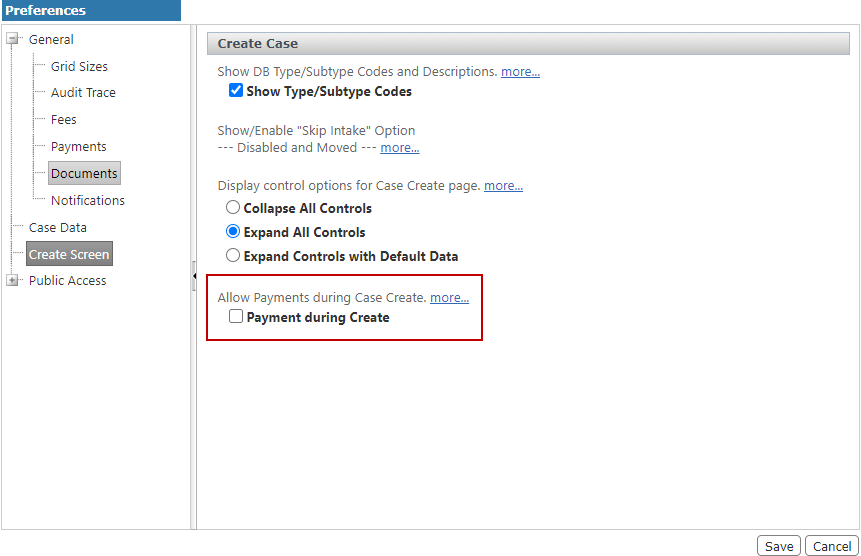
- Select the Payment During Create check box.
- Click Save.
If this check box is selected, the Fees panel appears after a user saves an application for a new case. This allows the user to make a payment towards the fees associated to the new case or go directly to the Summary page. If this check box is not selected, the Fees panel does not appear after a user saves an application for a new case. This directs the user straight to the Summary page. Payments toward fees must be made using the Payments panel on the Summary page. See Add a Payment in the Office and Tablet 15.7 for PLL Guide.

