Customize Panel Headings for Case Templates
This tool allows you to change the panel names on PLL cases.
|
|
 PREREQUISITES:
To change panel headings, follow these steps:
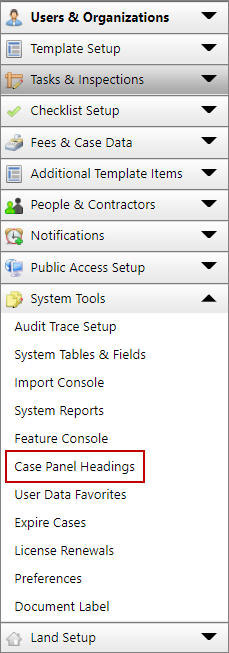
- Click System Tools on the PLL Admin menu panel and select Case Panel Headings.
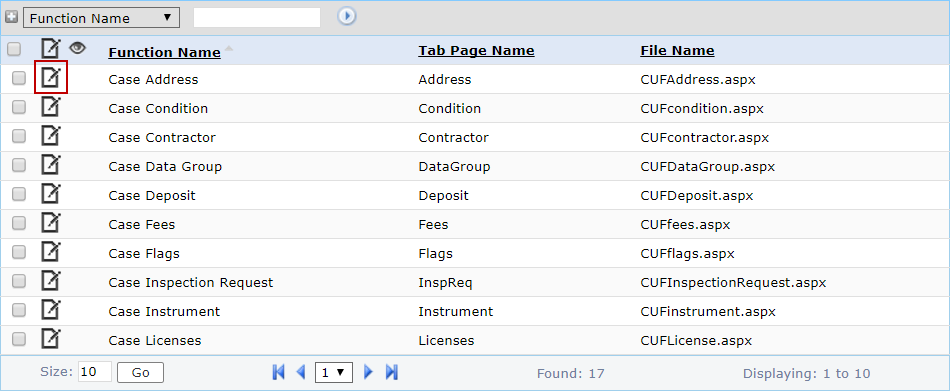
- Find the appropriate panel in the Function Name column and click Edit record next to it.
 NOTE: The current panel heading is listed in the Tab Page Name column.
NOTE: Search or filter the records on this panel to quickly find the one(s) you want. See Search and Filter Records for more information.
- On the Edit: Function Headings panel, enter the new name in the Tab Page Name field.

- Click Save.