Workflow
This panel shows you how your case is progressing. It lists each task that
must be completed, the estimated completion date for each task, the result of
each task, and the date and time each task was completed.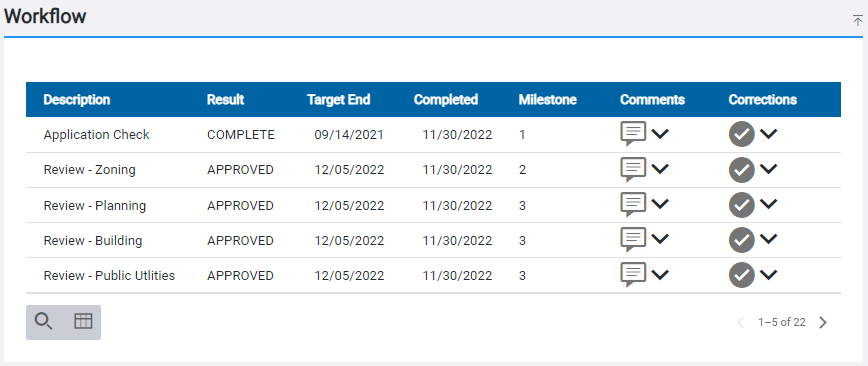
 IMPORTANT: All tasks associated with a case are added to the case, but Public Access users will only see the tasks that are available to them based on the registered and anonymous settings configured for each task. Consequently, registered and anonymous users may see different tasks listed on the Workflow panel.
Once a permit is issued, you will need to schedule inspections in order to advance the workflow. See Schedule an Inspection for more information.
If the checklist icon appears next to an inspection task, you can
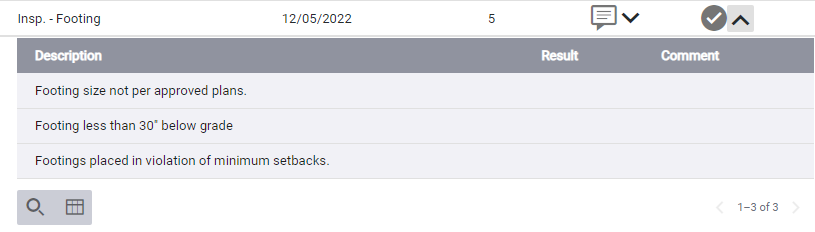
The Checklist Items panel displays the description of the task and, if the inspection has already been carried out, the result of each task and any comments from the inspector.