Case Functions Drop-Down List Fields
The three dots icon to the right of Case Summary provides the user with more functionality within the case.
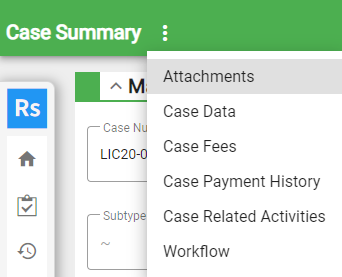
- Attachments:
- Case Data:
- Case Fees:
- Case Payment History:
 NOTE: The Case Payment History option is only available on business license cases.
- Case Related Activities:
- Workflow: