Payment Panel Fields
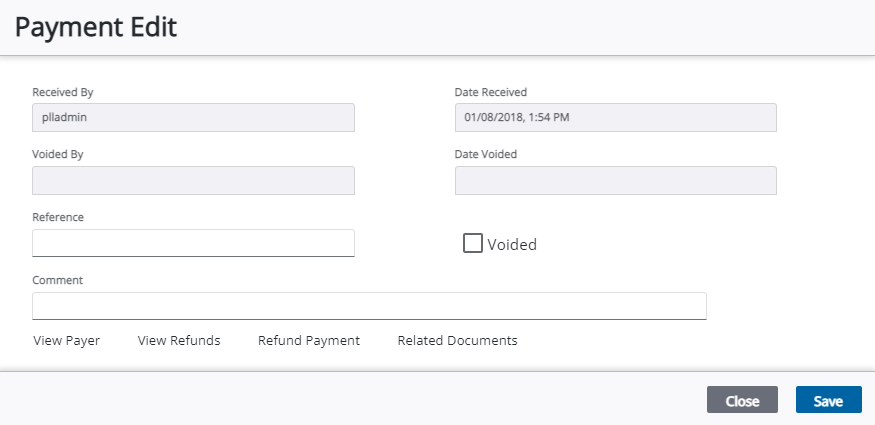
 NOTE: Some specific fields and buttons that display depend on if you are adding, editing, or viewing payments.
- Received By: This is the ID of the person who received the payment.
- Date Received: This is the date the payment was received.
- Voided By: This field automatically populates with the ID of the person who voided the payment when the Voided check box is selected and saved.
- Date Voided: This field automatically populates with the date when the Voided check box is selected and saved.
- Voided: Select this check box to void the payment. Payments should be voided instead of deleted to preserve the history of the cash flow and accurately identify why changes were made to the transaction.
- Reference: This field can be used to reference a payment source such as an internal Purchase Order (PO).
- Comment: Add any additional notes or comments about the payment.
-
- Refund Payment:
- Related Documents: