The Dashboard
 Slide Out Menu
This is the dashboard when Hide is selected in Settings.
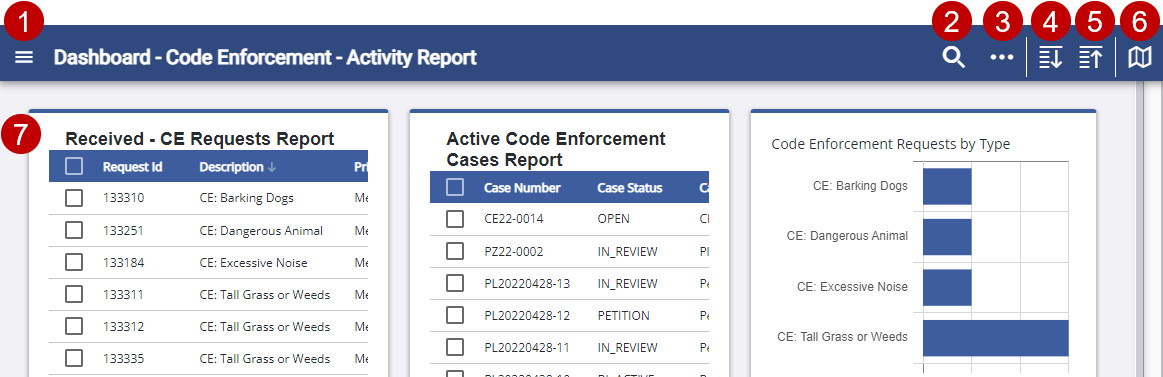
- Open the menu. See The Menu for more information.
- Use the quick search.
- Open Page Actions. See Dashboard Management for more information.
- Expand all the panels.
- Collapse all the panels.
- Open the map.
See Map for more information on the different views.
- Interact with widgets within the dashboard. Keep tabbing to move through each widget and press Enter to select items.
Sidebar Menu
This is the menu when Show is selected in Settings.
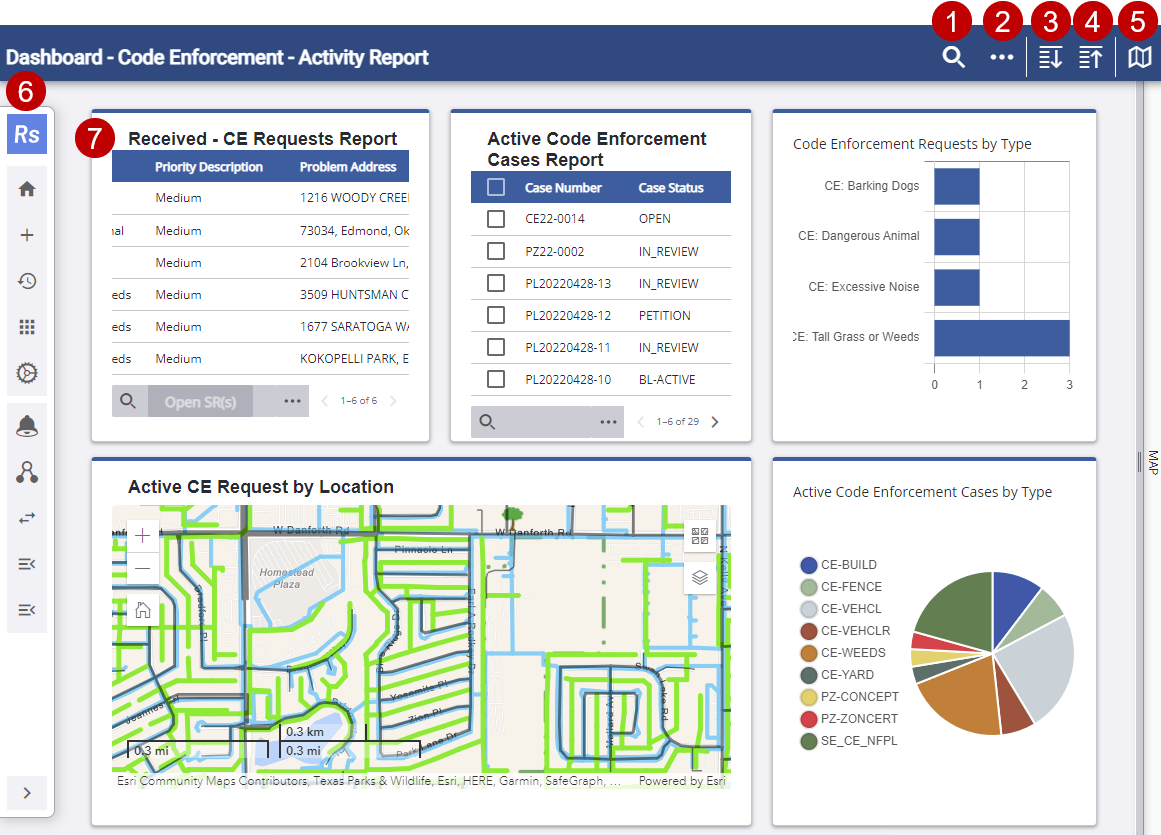
- Use the quick search.
- Open Page Actions. See Dashboard Management for more information.
- Expand all the panels.
- Collapse all the panels.
- Open the map.
See Map for more information on the different views.
- Interact with the menu. Keep tabbing to move to each menu item and press Enter to select one. See The Menu for more information.
- Interact with widgets within the dashboard. Keep tabbing to move through each widget and press Enter to select items.

