Rotate the Map View
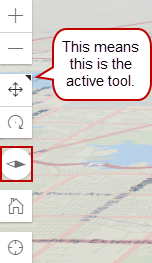
When using the 3D map, users can rotate the map in different directions, such as viewing the map from the horizon or more of an aerial view.
A small triangle in the top-right corner of the tool shows which tool (pan or rotate) is the active tool.