Corrections
Some tasks have checklists or corrections attached to them. You can add, remove, or complete correction tasks once you have searched for tasks using Task Manager.
 NOTE: A yellow dot next to Corrections indicates a correction is present on the case.
- Open Task Manager and perform a search. See Search for Tasks for more information on performing a search.
- On the task,

The correction section opens.
 TIP: If there are no records,
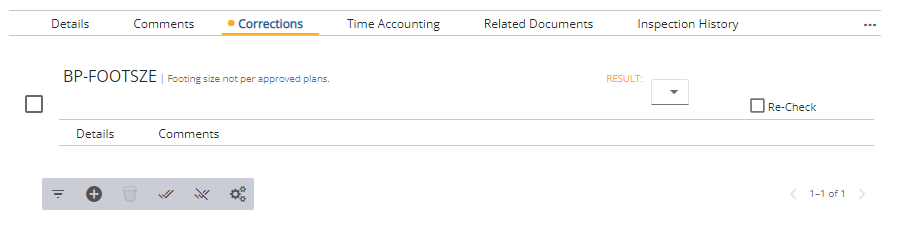
Corrections include a Details and Comments section specific to the selected correction. See Corrections for more information on adding, removing, or completing correction tasks.

