Remove Material
 IMPORTANT: Cityworks strongly recommends that you do not delete a material if there are any records associated with it. Instead, make the material inactive to preserve the historical data associated with the template.
- Tap Config from the menu.
- Tap Material.
- Tap the arrow to the right of the material.
- Clear the Viewable check box to make the material unavailable to users.
If no historical data is associated with the material, delete it from the Material panel.
- Select the material and tap the delete icon.
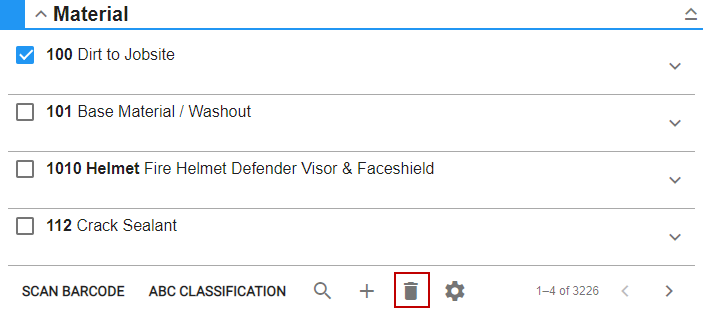
- Tap Delete Material on the Delete Material panel.
 NOTE: Storeroom automatically saves the changes you make. A notification will appear at the bottom of the window that says Changes Saved when you make changes to the page.