View or Edit a Saved Search
You can view and edit a saved search once it's been created.
- Click Requisition on the Storeroom toolbar.
- Click the Search tab on the Requisition panel.
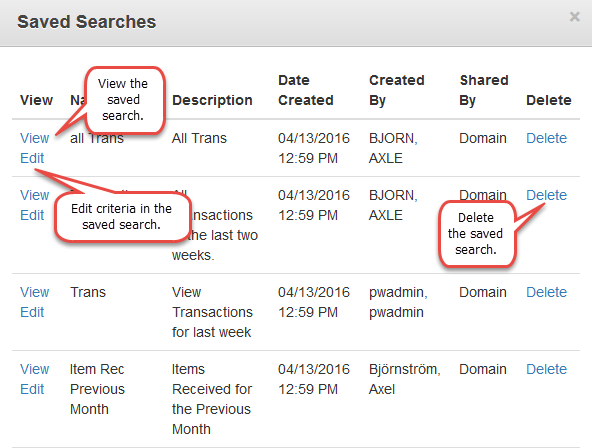
- Click Open to view a list of saved searched.
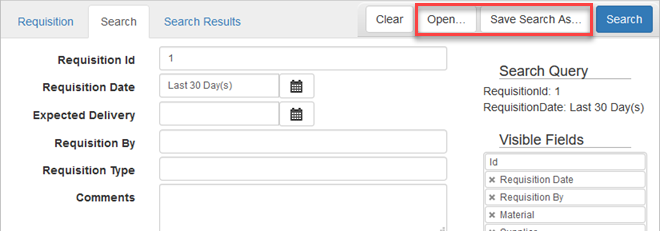
- Click View to run a saved search.
- Click Edit to edit a saved search.
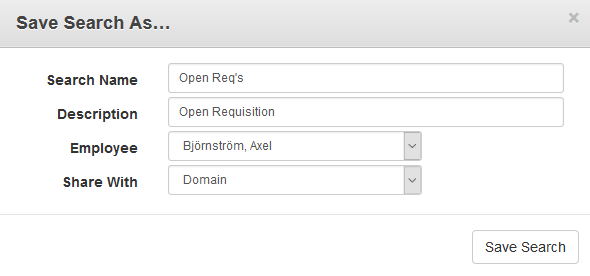
- When editing a saved search, change the search criteria on the Search tab and click Save Search As.
- Click Save Search on the Save Search As panel to apply the changes made.

Documentation Feedback Form
Please give us feedback about this Cityworks guide.
If you have a feature enhancement request, please see the Ideas page on MyCityworks.
Last updated 1/3/2020.
Copyright© 2014–2019 by Azteca Systems, LLC. All rights reserved.