Receive a Requisition Transaction
To receive a requisition, either enter the requisition ID, create a requisition, perform a requisition search, or search for a requisition on the Receive page.
 By Entering the Requisition ID
- Tap Requisition from the menu.
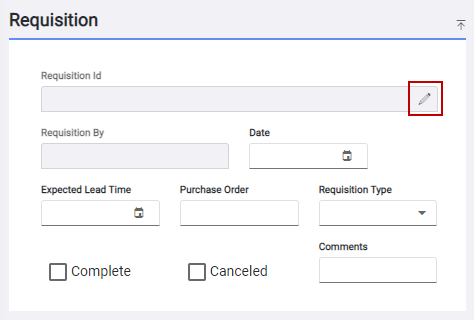
- Tap Enter Requisition Id on the Requisition panel.
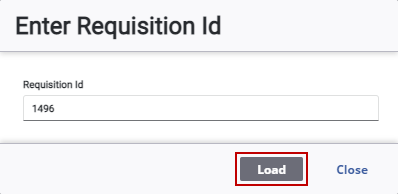
- Enter the Requisition Id and tap Load.
The requisition opens.
- Tap Receive Requisition.
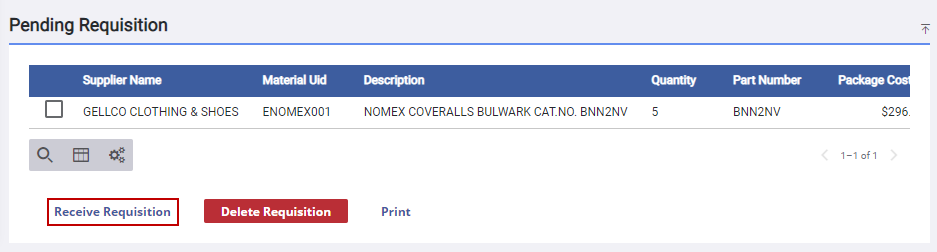
 NOTE: Only material not marked complete is received. To check if the material is complete, select the material in Pending Requisition panel. The Complete check box is selected in the Requisition Item panel if the material has already been received.
The Receive page opens and the Material panel is populated with the information from the requisition
See Receive Material for more information.
By Creating a Requisition
- Tap Requisition from the menu.
- Create a requisition. See Create a Requisition for more information.
- On the Pending Requisition panel, tap Receive Requisition.
The Receive page opens and the Material panel is populated with the information from the requisition
See Receive Material for more information.
By Performing a Requisition Search
- Tap Search from the menu.
- Tap Requisition Query.
- Perform a requisition search. See Search for a Requisition Transaction for more information.
 TIP: You can filter the list of records displayed. See Filter Records for more information.
- Select the requisition you would like to receive.
- Tap Go To Requisition.

The requisition opens on the Requisition page.
- Tap Receive Requisition.
NOTE: Only material not marked complete is received. To check if the material is complete, select the material in Pending Requisition panel. The Complete check box is selected in the Requisition Item panel if the material has already been received.
The Receive page opens and the Material panel is populated with the information from the requisition
See Receive Material for more information.
On the Receive Page
- Tap Receive from the menu.
- Tap Requisition on the Material panel.
- Enter the Requisition Id. If the ID is not known, tap the search icon to search for a requisition on the Requisition Search page. See Search for a Requisition Transaction for more information.
TIP: You can filter the list of records displayed. See Filter Records for more information.
- Select the material.
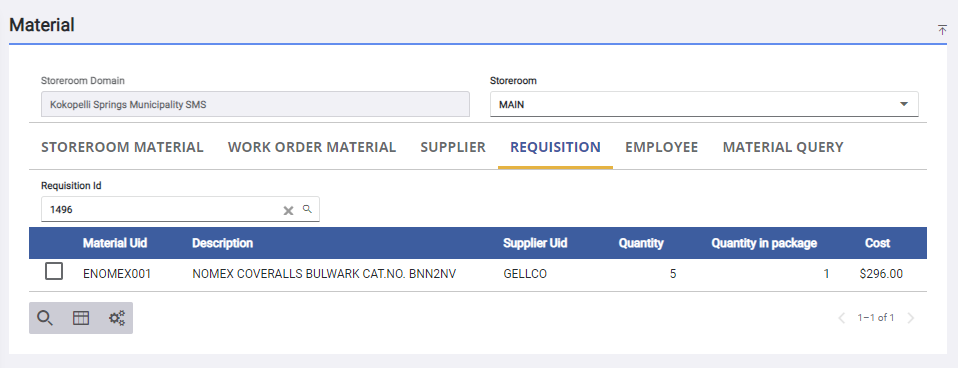
- Receive the material.
See Receive Material for more information.

