Switch Customization Profiles

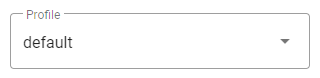
You can switch between customized profiles that have been defined in Admin.

PREREQUISITES:

  • A profile must be created in Cityworks Style. See Create a Profile for more information.
  • More than one profile must be defined for the employee in Admin for the Profile drop-down list to appear. See Define a Profile in Admin for more information.
  1. Open Settings.
  2. Click the Profile drop-down list.

See Style Profiles Download on MyCityworks for customized profile examples created by Cityworks staff that you can upload to Style and further customize as needed for your organization. See Upload a Profile for more information on uploading a profile.