Change Field Label Colors
You can change the color of a field label based on the theme being viewed in a specific plugin and on a specific profile.
|
|
 PREREQUISITES:
- Within the Controls panel, select a control.
 NOTE: Field label colors can be changed on the following controls : txt (text fields), cmb (combo boxes), num (number fields), and rdo (radio buttons).
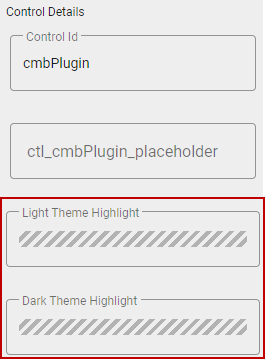
- Select the Light Theme Highlight or Dark Theme Highlight fields in the Control Details section.
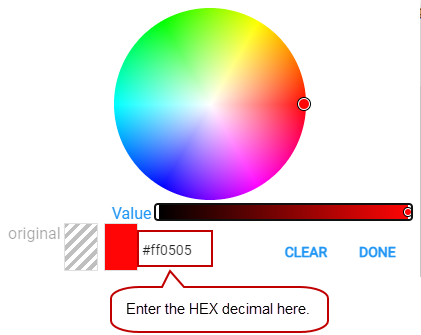
A panel opens with a color wheel.
- Select a color from the wheel or enter a HEX decimal in the field to choose a color.
The fields update with the selected color. Now the field label color changes based on the theme being viewed in the selected plugin. For example, say you selected a red color for the Light Theme Highlight field for the work order Status field. When you log into Respond, choose the profile and theme, and view a work order, the Status field label will be red.