Offline Capabilities When Using Web Maps
The Map Services configuration for a Service Definition targeting an Employee, Group or Domain will determine how Trimble Unity mobile operates for selecting online and offline base maps from the base map list in the mobile app.
If a web map is present in the Map Services configuration then Trimble Unity mobile will by default display the online web map's base map and will allow offline base maps (.tpk files) to be selected in the base maps list. The capability to select an offline base map has been added specifically to allow a user with a web map configured to go offline. Any online base maps configured in the Map Services configuration will not be selectable within the mobile app as the web map’s base map is the only viewable base map when online. When a user is back online and if they wish to return to viewing the web map's base map then they must return to the app chooser screen and reselect the “Unity AMS” app.
There are no restrictions on the selection of online or offline base maps in the mobile app, if no web map is present in the Map Services configuration. The mobile app will display and allow the user to select offline and online base maps in the base maps list.
The following image shows a web map in the Map Services configuration.

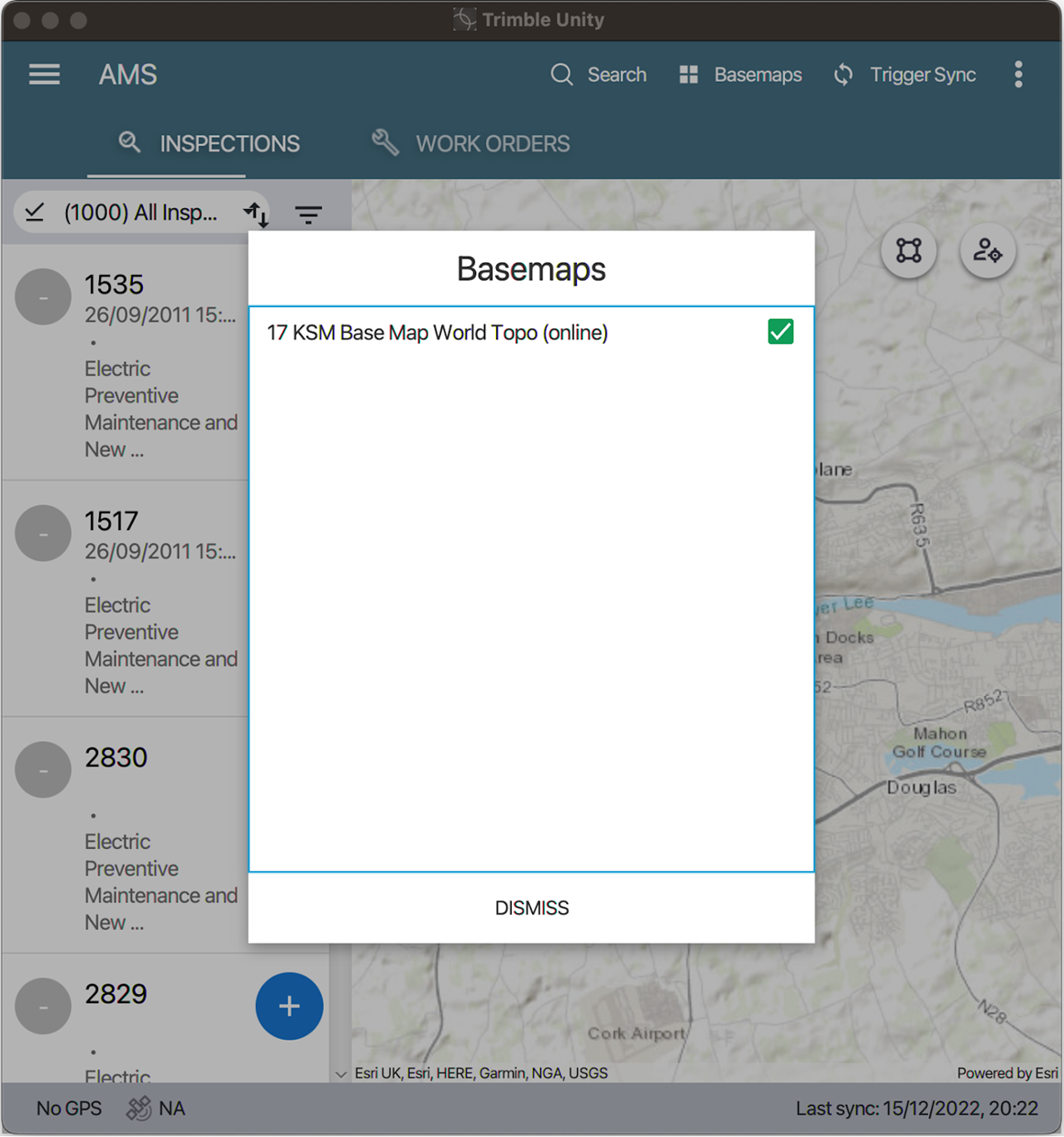
The following image shows the base map list in Trimble Unity mobile.