Install and Configure the App
Complete the following steps to install and configure the app.
- Log in to your Cityworks site on your desktop computer.
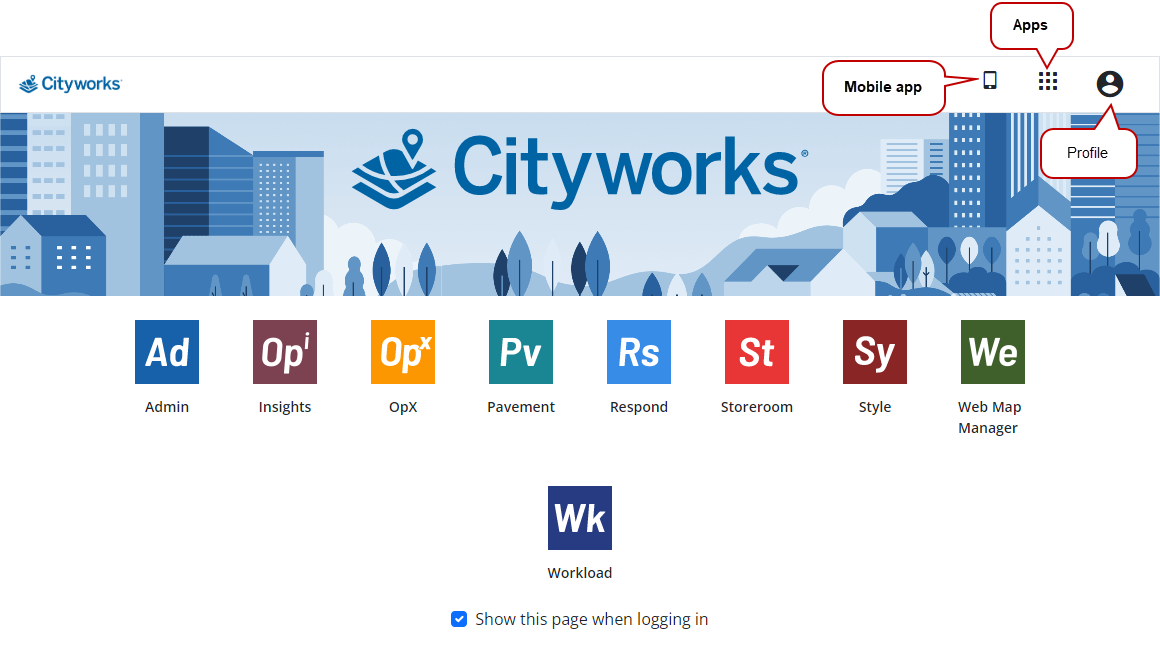
- Click Mobile app from the landing page.
A panel opens with links to the app stores and a QR code.
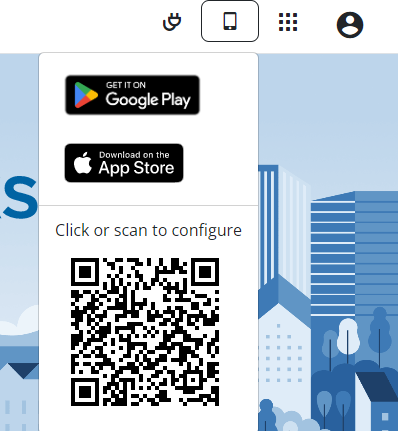
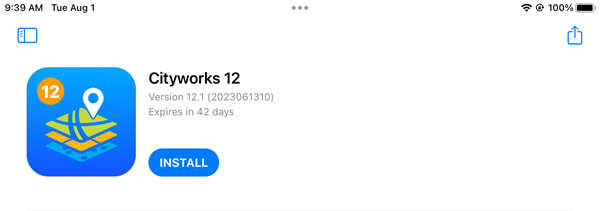
- Click the app link to install the app on your
 BEST PRACTICE: Users can use the mobile app in a dark mode to conserve battery life in the field. This is a device setting rather than a mobile app setting. The mobile app will now adapt to whichever mode is selected on your mobile device.
Complete one of the following to configure the app:
 Configure the App by
 - Log in to your Cityworks site on your device.
- Click Mobile app from the landing page and
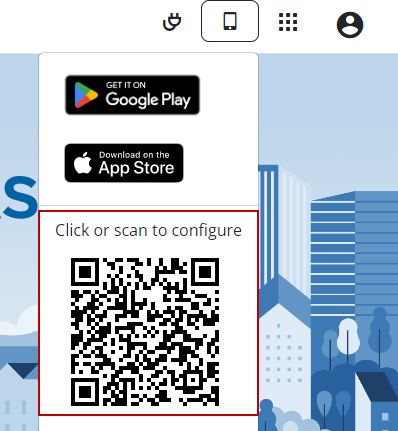
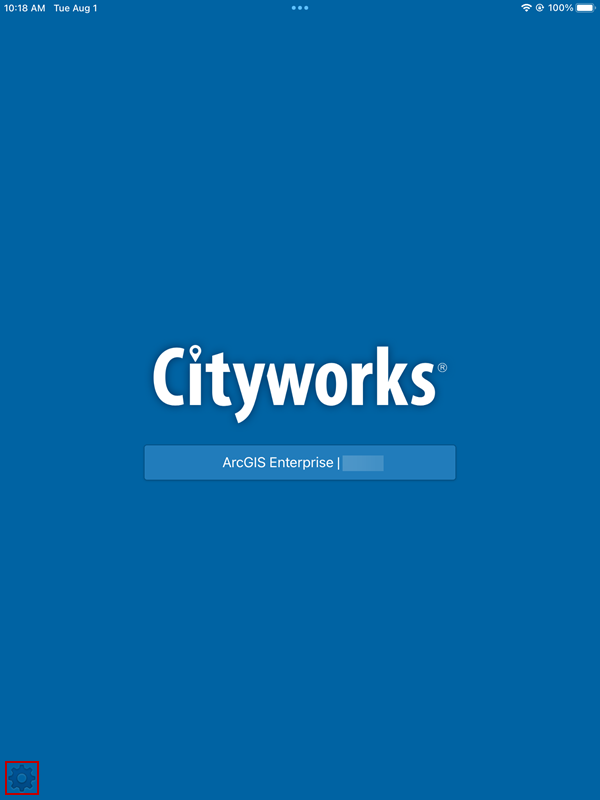
- Open the app on your tablet device.
 NOTE: If your site is set up to use ArcGIS Online or Portal for ArcGIS credentials, the option appears on the log in page.
Once you log in, the apps settings automatically populate and are remembered based on your log in configuration.
- You can update any settings by logging out and
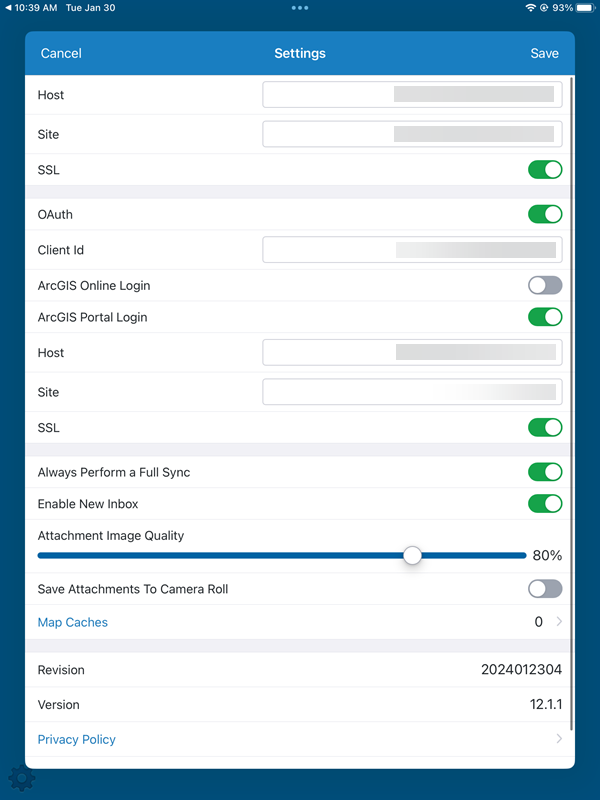
The Host, Site, and SSL fields are automatically populated.
The OAuth switch is automatically selected to enable single-sign on authentication against your Portal for ArcGIS or ArcGIS Online account. The Client Id of the Single Sign-on Portal for ArcGIS or ArcGIS Online app is automatically populated. If not, see SAML Configuration and the Single Sign-on 23 Guide for more information.
The ArcGIS Online Login or ArcGIS Portal Login switch is automatically enabled based on your site's configuration. If needed, you can enable them by dragging the switch to the right and completing any other configurations as needed. If you have enabled the ArcGIS Portal Login switch, you will need to talk to your Cityworks Administrator to get the following Portal for ArcGIS information:
- In the Host field, enter the URL to the server for your organization's Portal for ArcGIS instance.
- In the Site field, enter the web adapter name for your Portal for ArcGIS instance. In most cases, this will be portal.
NOTE: To use either of these settings, you must be a Cityworks user as well as an ArcGIS Online or Portal for ArcGIS user, depending on which option you are enabling. The Cityworks username must exactly match the ArcGIS Online or Portal for ArcGIS username.
See Configure Secured Services in the Mobile Apps on MyCityworks for more information on configuring your device for Esri authentication.
You can view the Revision and Version Information for the app you are using.
Configure the App by Scanning the QR Code
- Log in to your Cityworks site on your desktop computer.
- Click Mobile app from the landing page and scan the QR code using the camera on your device.
- Open the app on your tablet device.
NOTE: If your site is set up to use ArcGIS Online or Portal for ArcGIS credentials, the option appears on the log in page.
Once you log in, the apps settings automatically populate and are remembered based on your log in configuration.
- You can update any settings by logging out and
The Host, Site, and SSL fields are automatically populated.
The OAuth switch is automatically selected to enable single-sign on authentication against your Portal for ArcGIS or ArcGIS Online account. The Client Id of the Single Sign-on Portal for ArcGIS or ArcGIS Online app is automatically populated. If not, see SAML Configuration and the Single Sign-on 23 Guide for more information.
The ArcGIS Online Login or ArcGIS Portal Login switch is automatically enabled based on your site's configuration. If needed, you can enable them by dragging the switch to the right and completing any other configurations as needed. If you have enabled the ArcGIS Portal Login switch, you will need to talk to your Cityworks Administrator to get the following Portal for ArcGIS information:
- In the Host field, enter the URL to the server for your organization's Portal for ArcGIS instance.
- In the Site field, enter the web adapter name for your Portal for ArcGIS instance. In most cases, this will be portal.
NOTE: To use either of these settings, you must be a Cityworks user as well as an ArcGIS Online or Portal for ArcGIS user, depending on which option you are enabling. The Cityworks username must exactly match the ArcGIS Online or Portal for ArcGIS username.
See Configure Secured Services in the Mobile Apps on MyCityworks for more information on configuring your device for Esri authentication.
You can view the Revision and Version Information for the app you are using.