Open a Work Order in ArcGIS Field Maps

When you are viewing a work order in the mobile apps, you can open it in ArcGIS Field Maps to view the location, update GIS data, or use ArcGIS Tracker.

PREREQUISITES:

  • You must be signed in to both the mobile app and ArcGIS Field Maps app using your Portal for ArcGIS or ArcGIS Online credentials.
  • This functionality works with a web map in the Android and iOS app. See Add a Web Map in the Admin 3.3 Guide for more information.
  • The web map used for ArcGIS Field Maps must be added in a service definition in Cityworks.
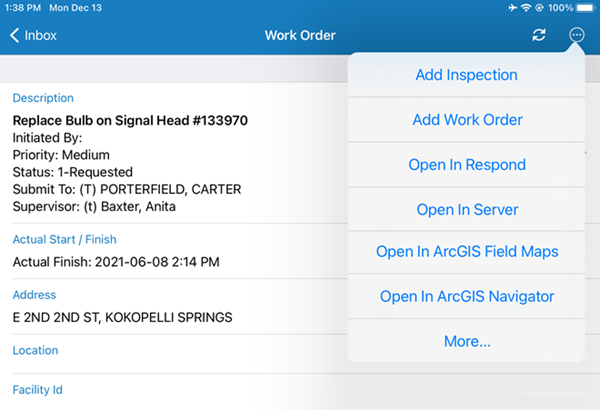
  1. Open the work order you want to view in ArcGIS Field Maps.
  2. Tap the more icon in the upper-right corner.
  1. Tap Open In ArcGIS Field Maps.

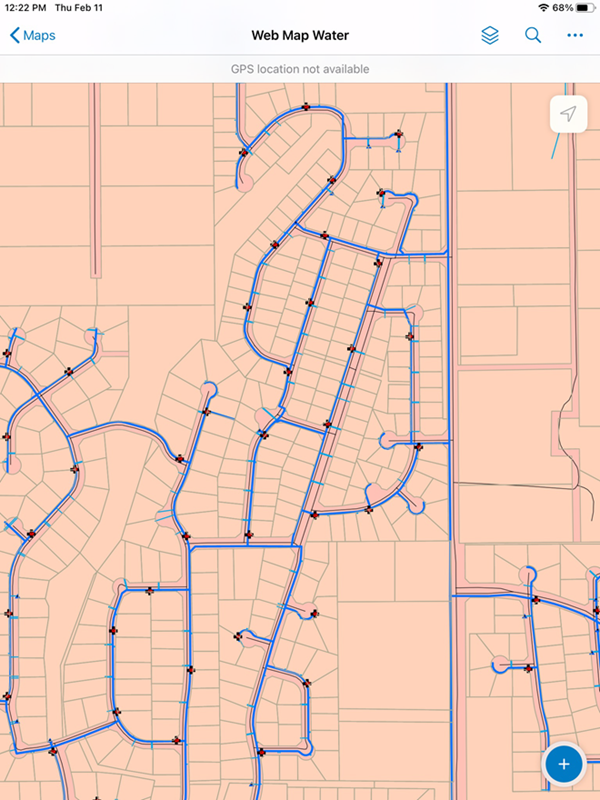
ArcGIS Field Maps opens.