Add a Deposit
This section discusses how to add a new deposit.
|
|
 PREREQUISITES:
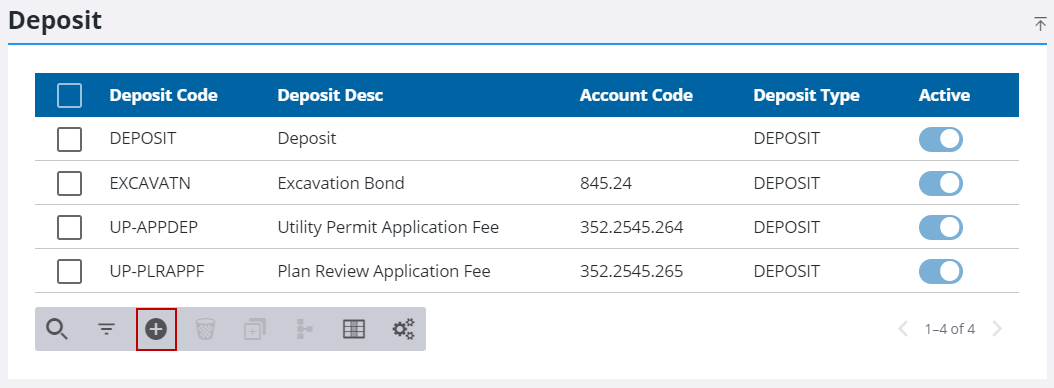
- From the home page, click PLL and click Deposit.
- On the Deposit panel, click Add record.
- Enter a 10-character (maximum) name in the Deposit Code field.
- Enter a brief explanation in the Deposit Desc field.
- In the Account Code field, enter the number of the account that will receive the deposit.
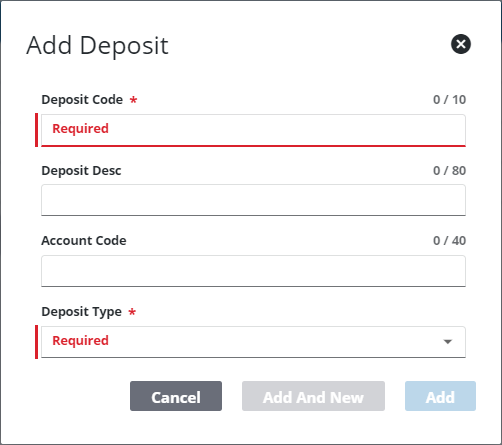
From here, a deposit can be configured in two different ways:
 Configure a Deposit
- Select Deposit from the Deposit Type drop-down list.
- In the Effective Date field, enter a date or click the calendar icon to select a date.
- Enter a numerical value in the Amount field.
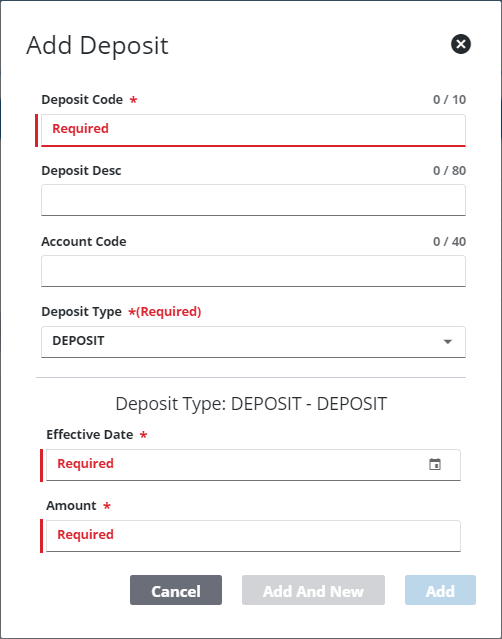
- Click Add or Add and New to add the deposit and create another one.
Configure a Percentage Deposit
- Select Perdeposit from the Deposit Type drop-down list.
- In the Effective Date field, enter a date or click the calendar icon to select a date.
- In the Percentage field, enter the percentage that should be used to calculate the deposit amount.
- If desired, enter a minimum value for the deposit in the Min Value field.
- If desired, enter a maximum amount for the deposit in the Max Value field.
- Select a fee from the Fees drop-down list that the percentage deposit applies to.
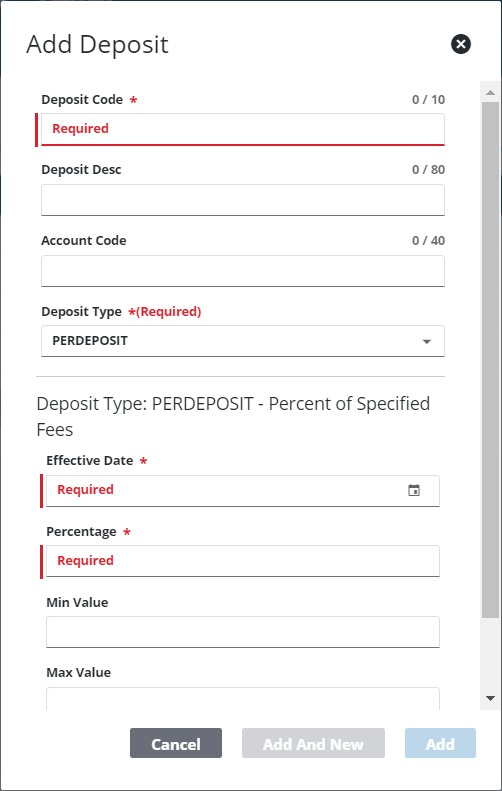
- Click Add or Add and New to add the deposit and create another one.
 NOTE: The Review Config panel provides visibility of where a selected data item (such as a case type, PLL user, status code, or other PLL item) is being used. See Review PLL Configurations for more information.

