Schedule a Hearing
This section will discuss how to schedule a hearing.
|
|
 PREREQUISITES:
- From the home page, click PLL and click Hearing Types.
 TIP: You can filter the list of records displayed. See Filter Records for more information.
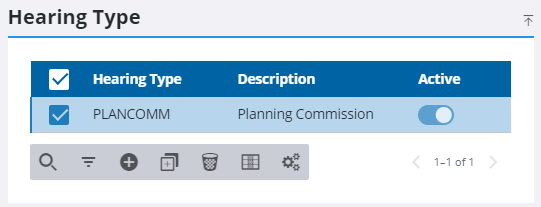
- On the Hearing Type panel, select the hearing type you want to schedule.
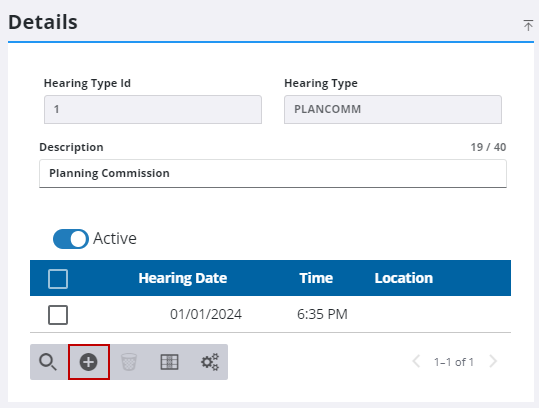
- On the Details panel, click Add hearing schedule to schedule a new hearing.
 .
.
- On the Add Hearing Schedule panel, click the calendar icon in the Hearing Date field to select a date.
- Click the clock icon in the Hearing Time field to select a time for the hearing.
- Enter the details of the location for the hearing, including address and floor, room, or suite number, in the Location field.
- Click Add or Add and New to add the hearing type schedule and create another one.


