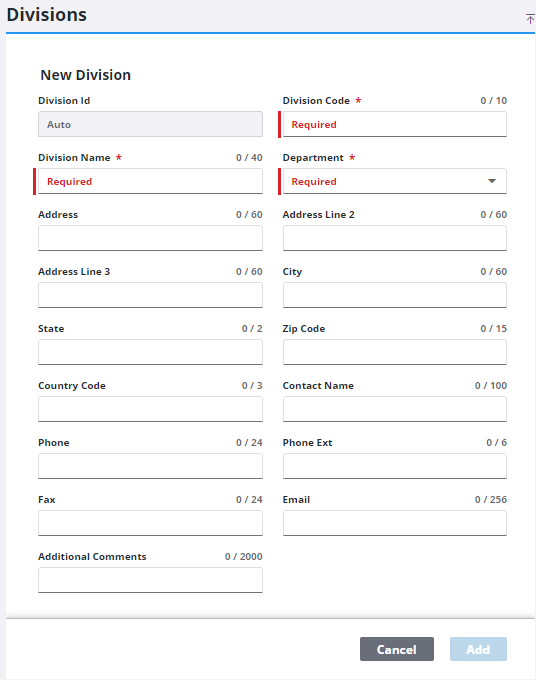
Add a Division
Divisions are subsections of a department and generally have a specific task, function, or responsibility. For example, in a department responsible for all utilities in a city, there may be separate divisions for water, sewer and storm water, natural gas, electricity, and fiber optic infrastructure.
|
|
 PREREQUISITES:
- From the home page, click PLL and click Organization Structure.
- Select an organization and department.
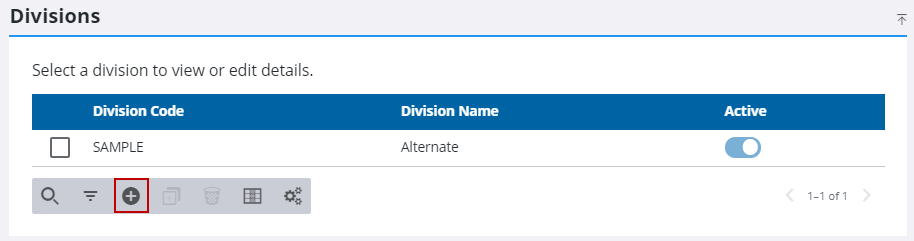
- On the Divisions panel, click Add record.
- On the New Division panel, enter a 10-character (maximum) name in the Division Code field.
- Enter a brief explanation of the division (no more than 40 characters) in the Division Name field.
 IMPORTANT: While the Division Code and Division Name fields are the only fields required to create a new division, it is important to provide as much of the additional information as possible. These additional fields identify the contact information for the division.
- Click Add.