Inbox
The Inbox shows all work orders, inspections, and PLL tasks submitted to you and all service requests dispatched to you, unless any saved searches have been configured to appear in your inbox for a specific activity type. For example, if you add a work order saved search to the inbox, only work orders that are a part of that saved search appear in your inbox, while service requests, inspections, and permits appear in your inbox according to the filter criteria. See Filter Criteria for more information.
 NOTE: An administrator can add a saved search to a domain's mobile inbox in Designer under Preferences > Mobile. Likewise, a user can add a saved search to their individual mobile inbox, as well as remove saved searches added by the administrator, under User Settings. See Add Saved Searches to the Mobile Inbox in the Designer for 15.8 Guide for more information.
 Original Inbox
- Tap the menu icon in the upper-left corner.
- Tap Inbox.
The inbox has four tabs at the bottom: Case, Inspection, Service Request, and Work Order.
- Tap the work activity you'd like to view.
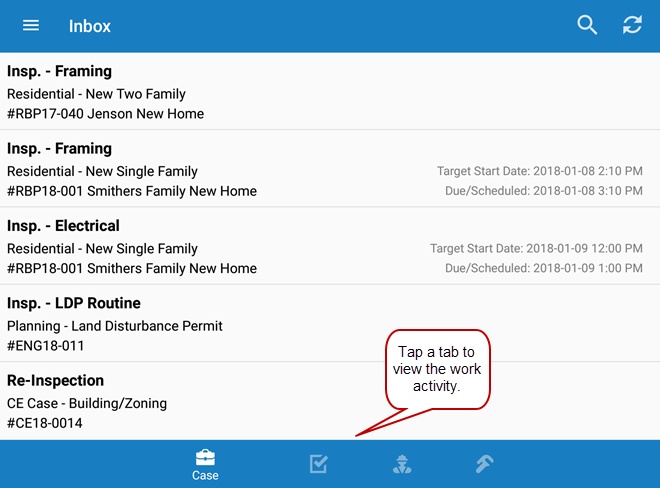
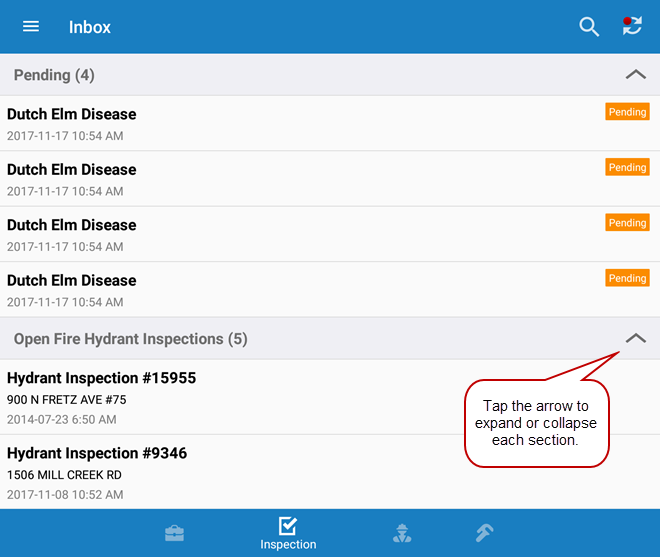
The work activities are grouped by saved searches, if any have been added to the user or domain, and by a Pending section that lists any inspections, work orders, or service requests that have been created in the app, but haven't been synced. You can filter the inbox by typing the first few letters of the work activity in the search box at the top.
If no saved searches have been added to the mobile inbox, all work activities, including pending work activities, appear in one list.
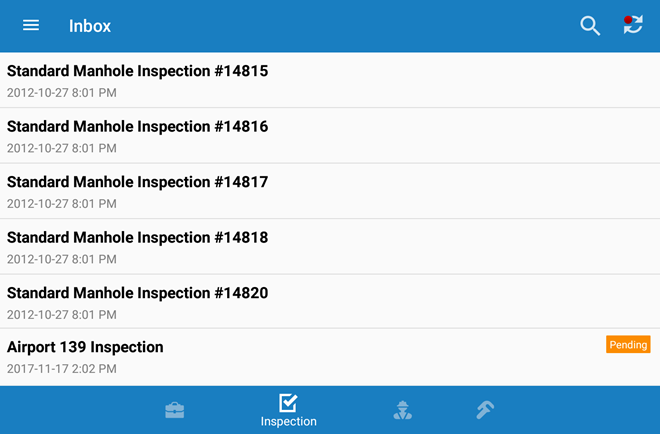
- Tap any record to view it.
 TIP: Saved searches are sorted by the Sort Field defined for the saved search. If there are no saved searches, records in the inbox are displayed by date, from oldest to newest. Service requests are listed by the initiated date. Work orders and inspections are listed by the projected start date and, if no projected start date is listed, by the initiated date. PLL tasks are listed by the date the task was created.
New Inbox
|
|
 PREREQUISITES:
- Tap the menu icon in the upper-left corner.
- Tap Inbox.
The inbox displays cases, service requests, inspections, and work orders in collapsed lists.The work activities are grouped by saved searches, if any have been added to the user or domain. A Pending section lists any pending work activities that have been created in the app but haven't been synced. You can filter the inbox by typing the first few letters of the work activity in the search box at the top.
- Use the search bar to search for specific work activities in the list.
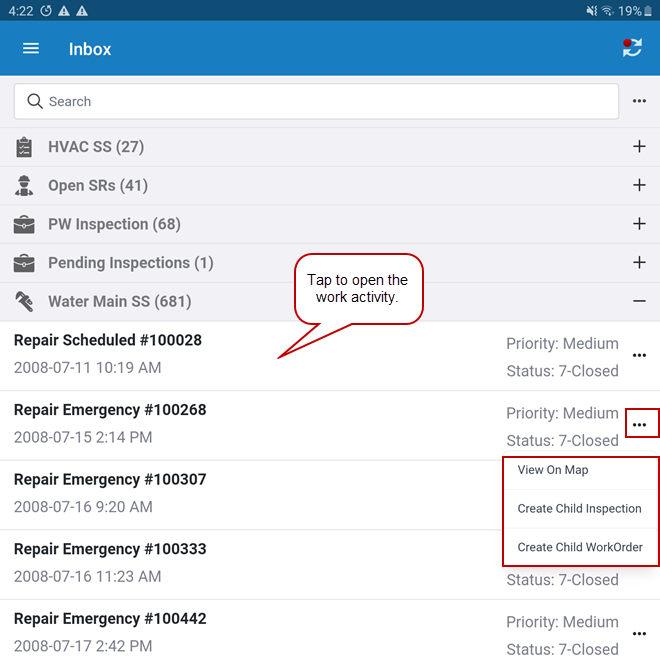
- Tap the more icon next to the search bar to scan a barcode, expand all the work activity panels, or collapse all the work activity panels.
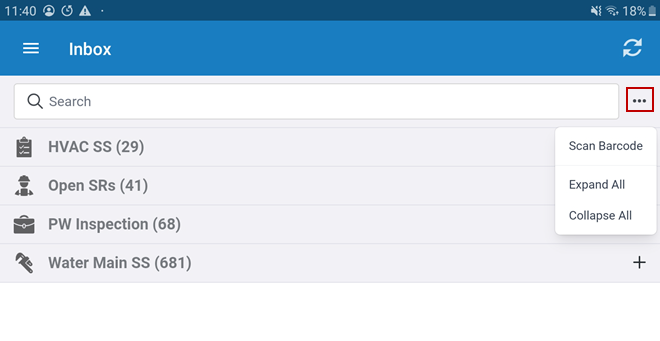
- Tap the plus icon on a saved search to expand the list and display individual work activities.
The expanded list displays the Priority, Status, and initiated date of each work activity.
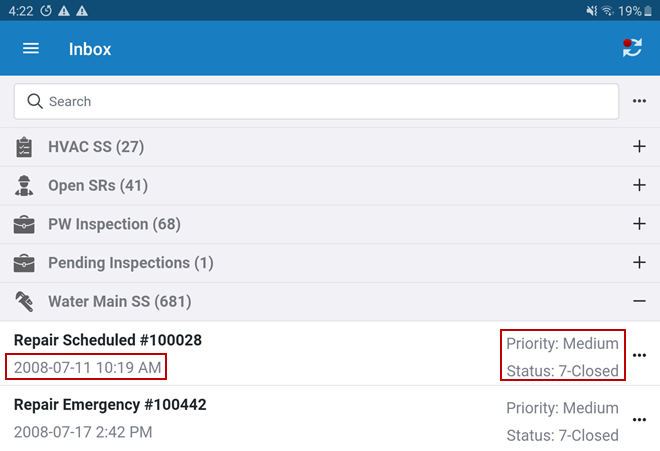
- Tap the work activity you would like to view or tap the more icon next to the activity name to view the activity on the map, create a child inspection, or create a child work order.
If no saved searches have been added to the mobile inbox, all work activities, including pending work activities, populate in the list.
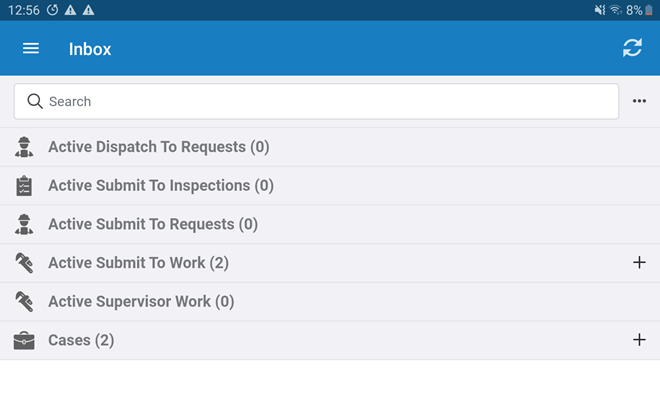
- Tap any record to view it.
TIP: Saved searches are sorted by the Sort Field defined for the saved search. If there are no saved searches, records in the inbox are displayed by date, from oldest to newest. Service requests are listed by the initiated date. Work orders and inspections are listed by the projected start date and, if no projected start date is listed, by the initiated date. PLL tasks are listed by the date the task was created.