Add or Edit Equipment
Add or update equipment to add to a work order. You can add keywords to equipment to make it easy to search.
|
PREREQUISITES:
|
 NOTE: Equipment can also be added using the Table Editor. See Table Editor in the Office/Tablet 15.2 for AMS Guide for more information.
- From either the home page or General tab, click Equipment.
The Equipment panel lists all equipment. You can filter the list by typing the first few letters of the equipment in the search box in the top-right corner.
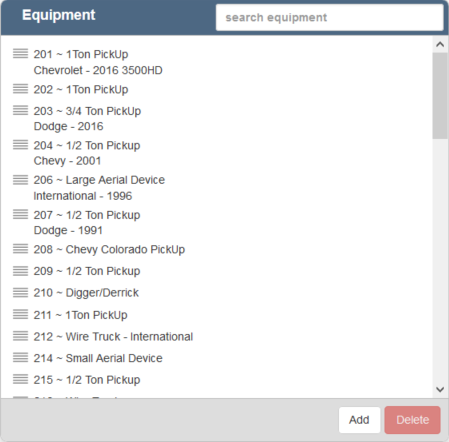
- Click Add to add a new piece of equipment.
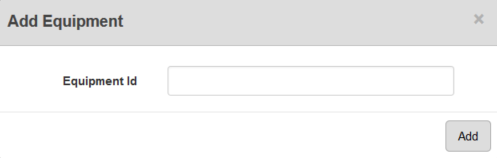
- Enter the Equipment Id and click Add.
The new equipment will display in the Equipment panel.
- Select it and finish editing the details of the equipment in the Equipment Details panel, including any custom data fields configured for equipment.
For an explanation of fields on the Equipment Details panel, see Equipment Fields.
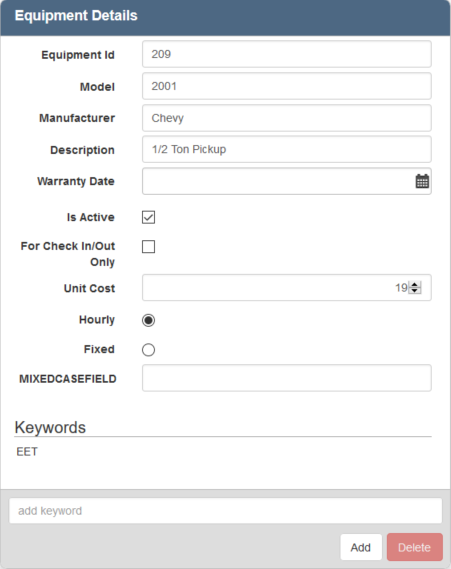
- To edit equipment, open it from the Equipment panel and make the desired changes.
NOTE: Designer automatically saves the changes you make. A notification will appear in the top-right corner of the window that says Data Saved when you make changes to the page.