Install a Custom Map Tool
Custom map tools can be installed and used in Cityworks applications.
- Navigate to Designer.
- From the GIS tab, click Map Tools.
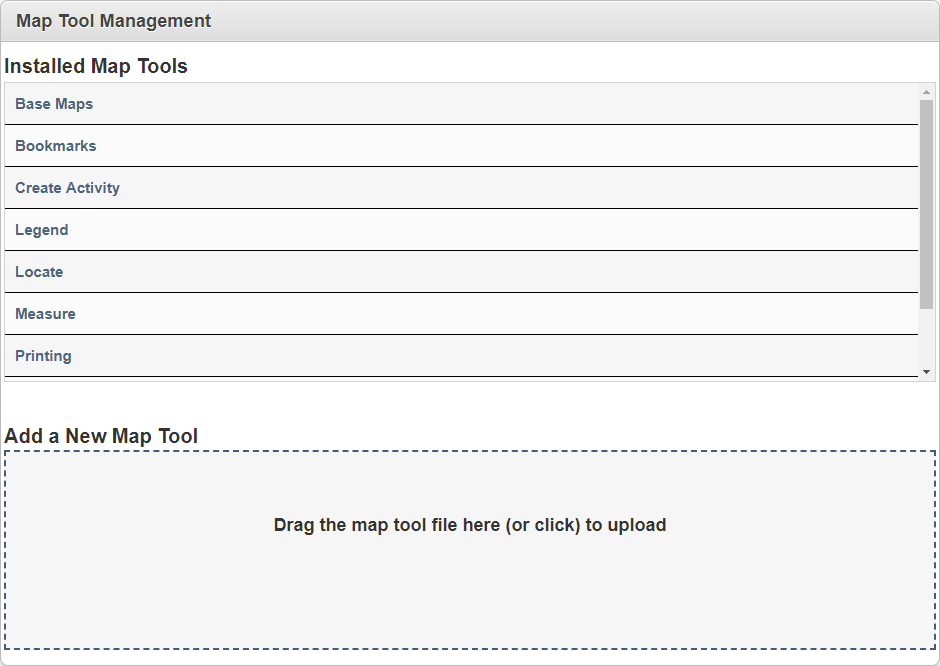
Any map tools made by Cityworks come automatically installed and appear under Installed Map Tools. These tools include Base Maps, Bookmarks, Create Activity, Legend, Locate, Measure, Printing, Redline, and Selection.
- Drag and drop the map tool file in the Add a New Map Tool panel, or click the panel to upload it.
Next, the map tool will need to be associated to a domain, group, or employee for each applicable plugin. See Define Map Tools for a Plugin for more information.
 TIP: For more information on map tool plugins, or to view a tutorial on how to create a map tool plugin, enter <your domain>/<your site>/apidocs/map-tools-4-index.html into your URL to reach the page.