Install the ArcGIS Indoors Floor Switcher Custom Map Tool
If you are using ArcGIS Indoors and Cityworks, you can download the Floor Switcher custom map tool and add it to any plugins that use the 4.x map.
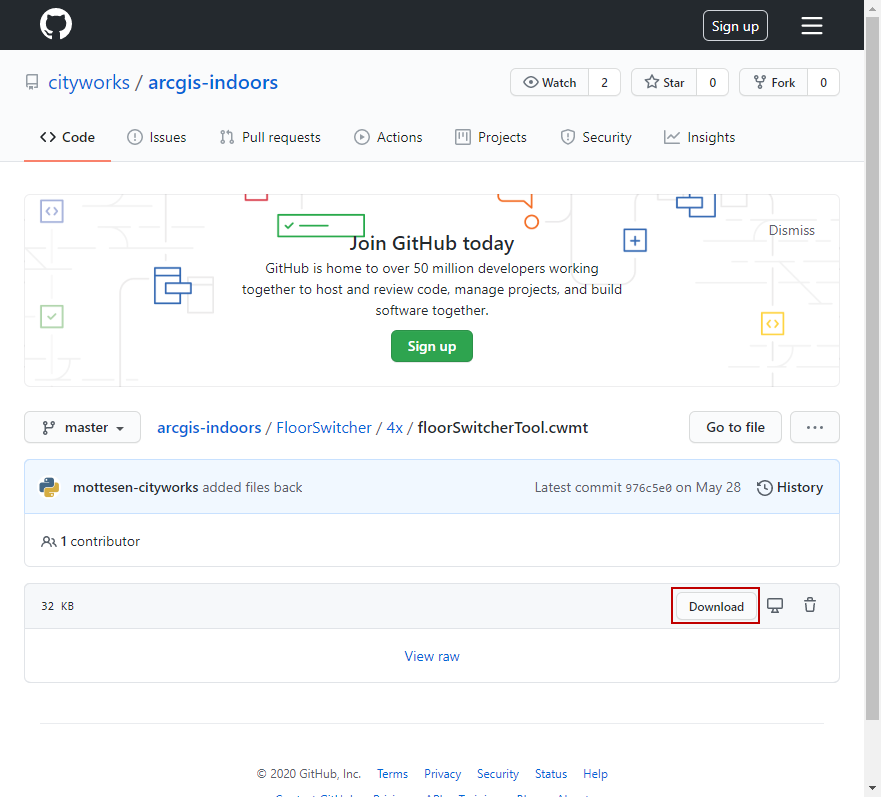
- Enter https://github.com/cityworks/arcgis-indoors/blob/master/FloorSwitcher/4x/floorSwitcherTool.cwmt into your URL.
- Click Download to download the custom map tool.
- In Designer, click Map Tools from the GIS tab.
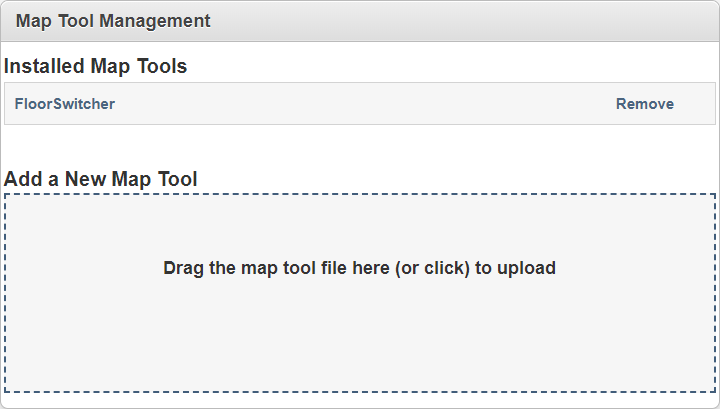
- Drag and drop the floorSwitcherTool.cwmt file where it says Drag the map tool file here (or click) to upload.
The FloorSwitcher map tool appears under Installed Map Tools.
After the map tool is installed, it needs to be assigned to a plugin. See Define Custom Map Tools for a Plugin for more information.