Task Utility Fields
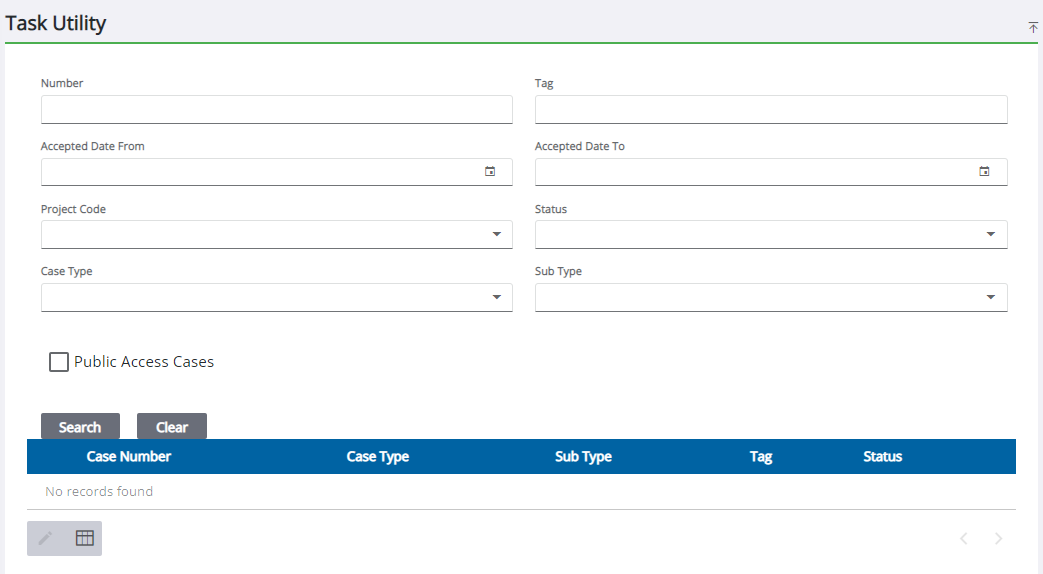
- Number: Enter the case number.
- Tag: Enter the name for the case.
- Accepted Date From: Enter the date or select it from the calendar.
- Accepted Date To: Enter the date or select it from the calendar.
- Project Code:
- Status: Select a status from the drop-down list.
-
- Sub Type: Select the case sub type.
- Public
Task Utility Result Fields
Select one of the following options after selecting the desired case and
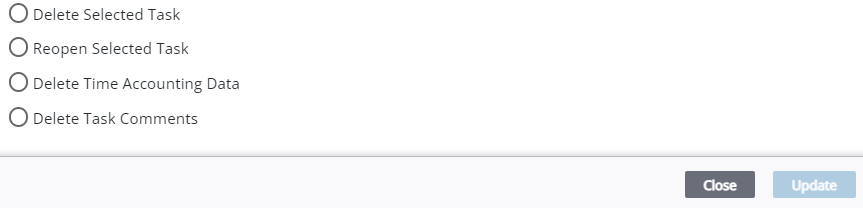
- Delete Selected Task: Select to remove the selected task(s).
- Reopen Selected Tasks: Select to reopen the selected task(s) that have been completed.
- Delete Time Accounting Data: Select to remove all time accounting data associated with the selected task(s).
- Delete Task Comments: Select to remove all comments associated with the selected task(s).