Edit a Data Group
You can edit information for individual or all data groups from the Data Group panel on the
 NOTE: The administrator may have configured case details to automatically populate based on assets added as addresses to the case. See
 From the Data Group Panel
- Open a case.
- Scroll to the Data Group panel on the
The Data Group Edit panel opens.
NOTE: These fields may differ according to the data groups set on the case.
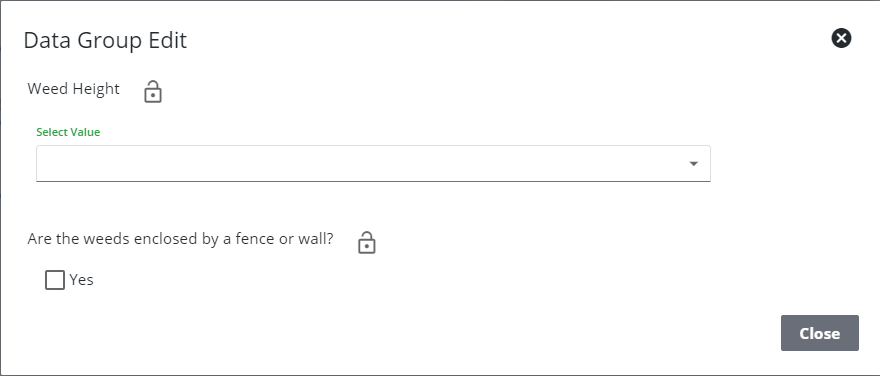
NOTE: A lock icon next to a case data detail indicates the case data cannot be edited by others. See Lock or Unlock Case Data Details for more information.
See Data Group Panel Fields for an explanation of the consistent Data Group panel fields.
From the Case Data Page
- Open a case.

The Case Data page lists data groups associated to the case.
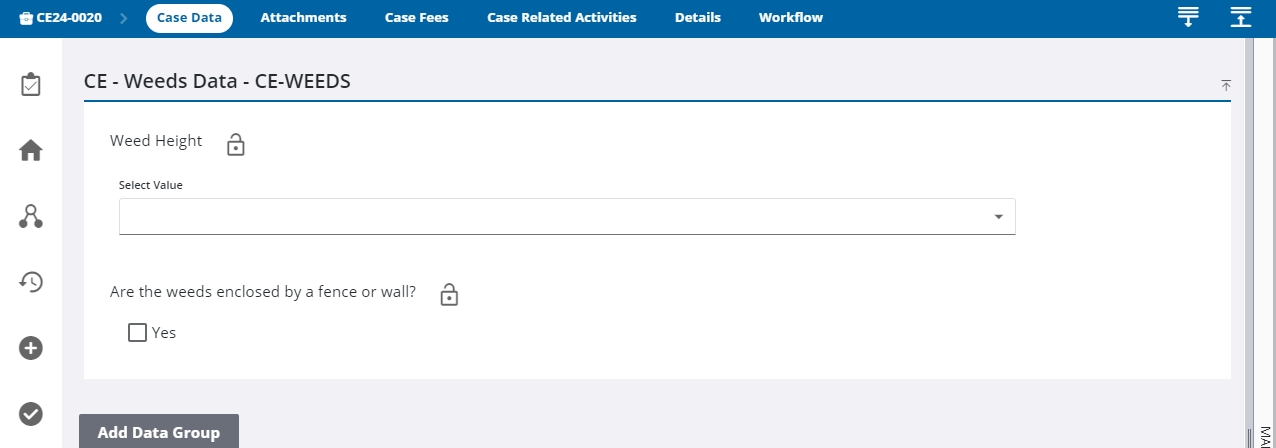
NOTE: A lock icon next to a case data detail indicates the case data cannot be edited by others. See Lock or Unlock Case Data Details for more information.
For an explanation of the consistent Data Group panel fields, see Data Group Panel Fields.