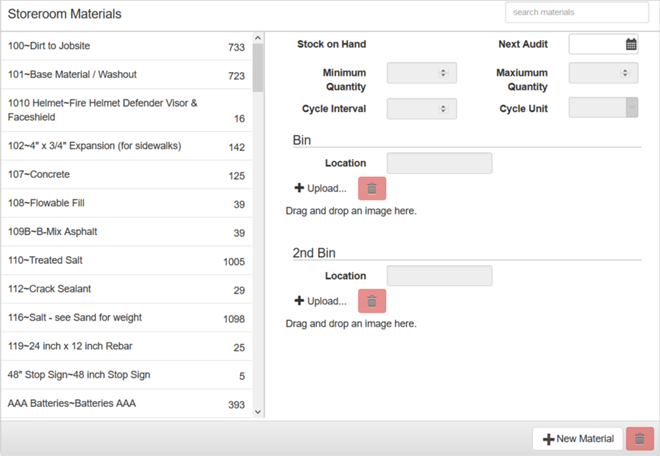
You can add material to individual storerooms to keep track of where your material is located.
PREREQUISITES:
|
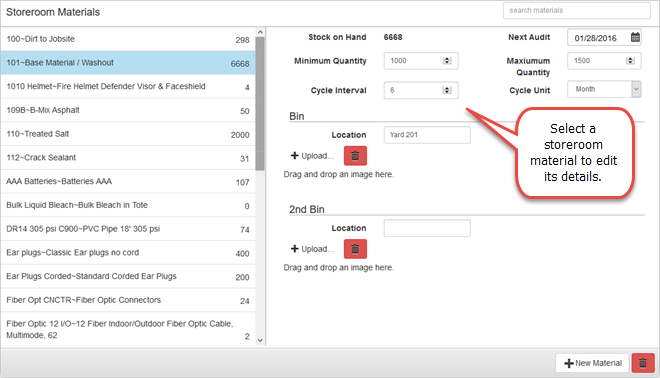
The Storeroom Materials panel, below the Storerooms panel, displays the list of materials in that storeroom with the number of stock on hand on the left side of the panel. The right side of the panel lists the details of the storeroom material. The details cannot be edited unless a material has been selected. You can filter this list by typing the first few letters of the storeroom material in the search box in the top-right corner of the panel.
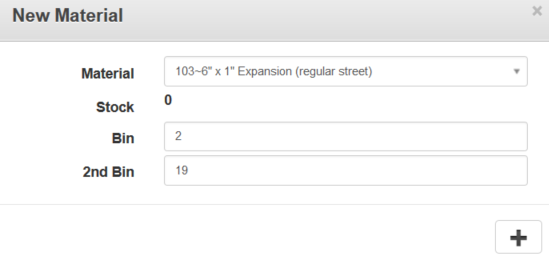
When adding a material, the Stock is 0 and cannot be changed here. The stock must be changed in Storeroom through an Audit or Receive transaction. See Perform an Audit or Receive Material for more information.
For an explanation of fields found on this page, see Storeroom Materials Fields.
To add the bin location and images to the material, see Configure Bin Locations and Images for Materials.
Last updated 1/3/2020.
Copyright© 2014–2018 by Azteca Systems, LLC. All rights reserved.