Allow Negative Stock in Storeroom
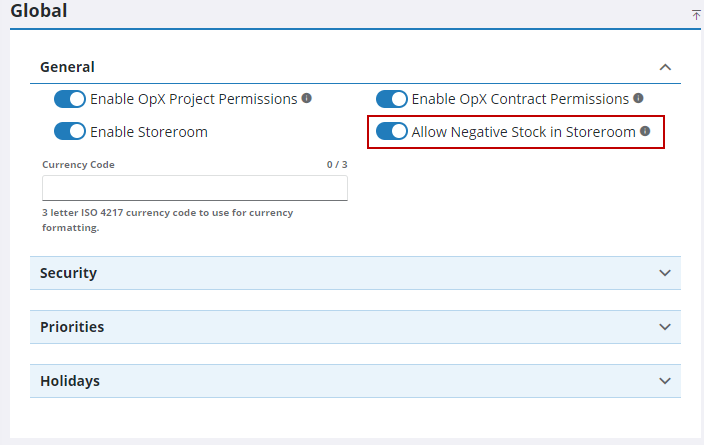
To allow negative stock to be used in storeroom for current and weight average cost types, you must enable it in Preferences in Admin or Designer. If enabled, Storeroom shows an error for LIFO and FIFO when more material is issued than what's in stock and does not allow the stock to go below zero, but not for weighted average or current cost types.
|
|
 PREREQUISITES:
- From the home page in Admin, click Admin and click Preferences.
- Tap the Shared tab.
- Expand the General panel and select Allow Negative Stock in Storeroom.
 NOTE: Admin automatically saves the changes you make. A notification pops up at the bottom to verify it has been saved.

