Associate Assets to an Inspection Template
The asset layer in the web map must be associated to the inspection templates that will be used in the Trimble Unity mobile app. If the asset layer name does not match the layer name in the web map, an asset alias must be configured. See Configure Assets for more information about configuring the asset alias.
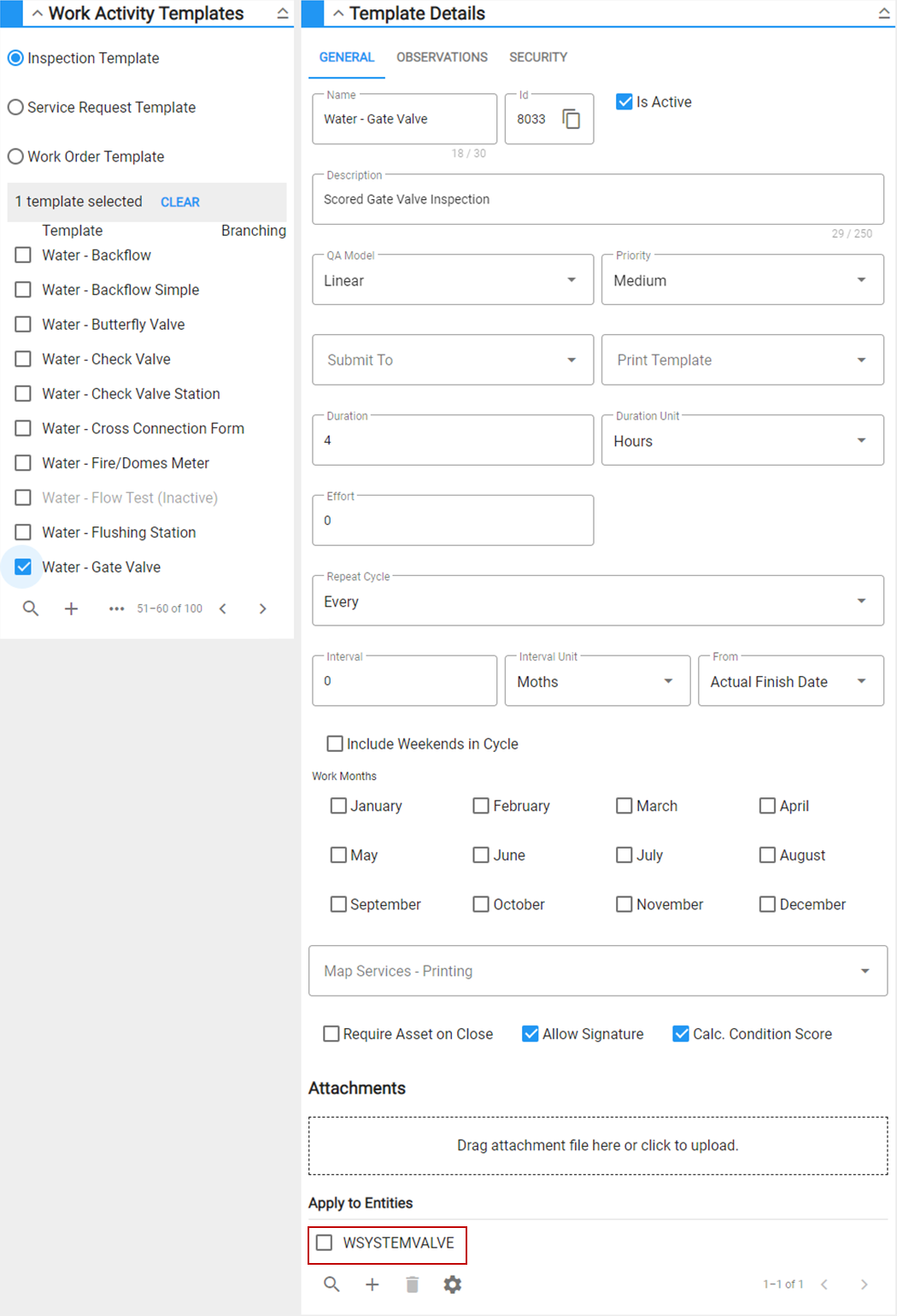
- In Admin on the Configure tab, navigate to Work Activity Templates, then select the Inspection Template option.
- Select the inspection template that will be used in the Trimble Unity mobile app. In the Apply to Entities section, add the asset type to associate it to this inspection template. Repeat for all necessary inspection templates. See Add or Edit a Custom Inspection Template in the Admin 2.2 Guide for more information.