Receive a Requisition Transaction
To receive a requisition, perform a requisition and then receive it on the Receive page.
- Click Requisition on the Storeroom toolbar.
- Either create a requisition or perform a requisition search.
See Create a Requisition or Search for a Requisition Transaction for information on creating a requisition or performing a requisition search.
- If you've searched for a requisition, click the Id link to open the requisition.
- Click Receive. The material will open on the Receive page in the Material panel.
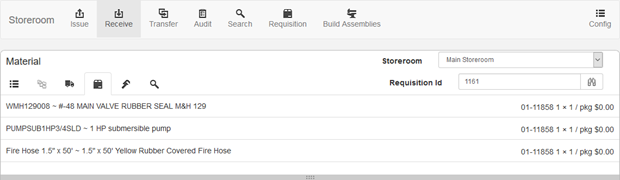
See Receive Material for more information.

Documentation Feedback Form
Please give us feedback about this Cityworks guide.
If you have a feature enhancement request, please see the Ideas page on MyCityworks.
Last updated 1/3/2020.
Copyright© 2014–2019 by Azteca Systems, LLC. All rights reserved.