Workflow
The workflow is where tasks and inspections for a case are managed. The Workflow panel lists all the standard tasks needed to complete a case; however, additional tasks may be inserted into the workflow manually. Users can select a result or outcome for each task to move the case toward completion. From here, you may add, remove, or complete tasks as needed.
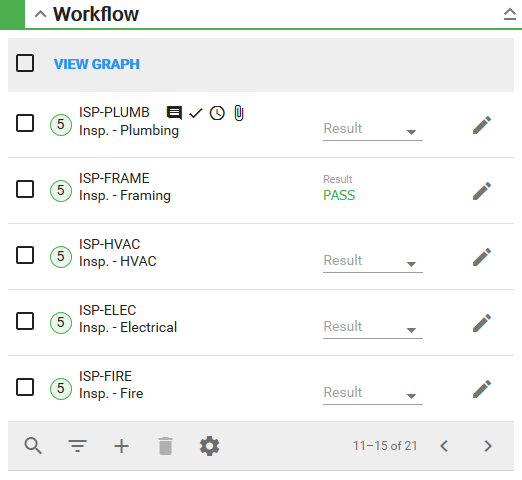
- Tap the search icon to search the list for tasks.
- Tap the filter icon to filter the list for tasks by task type or availability.
- Tap the gear icon to change the number of rows viewed at a time in the panel.
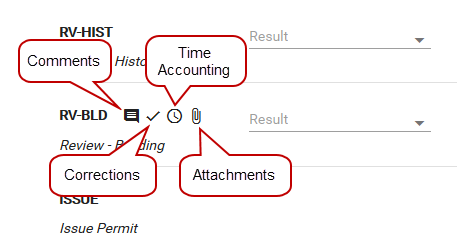
 NOTE: If comments, attachments, corrections, or time spent on the task have been added to it, corresponding icons appear.
See Add Tasks, View and Edit Tasks, Remove Tasks, Complete a Task, Use Comments, Use Corrections, Use Time Accounting, Rel Docs, and Workflow Fields for more information about tasks.